
Setting Up Hubs
Navigate to Company Settings, then select Estimates & Invoices. From here, select Inventory, then click on Inventory Settings.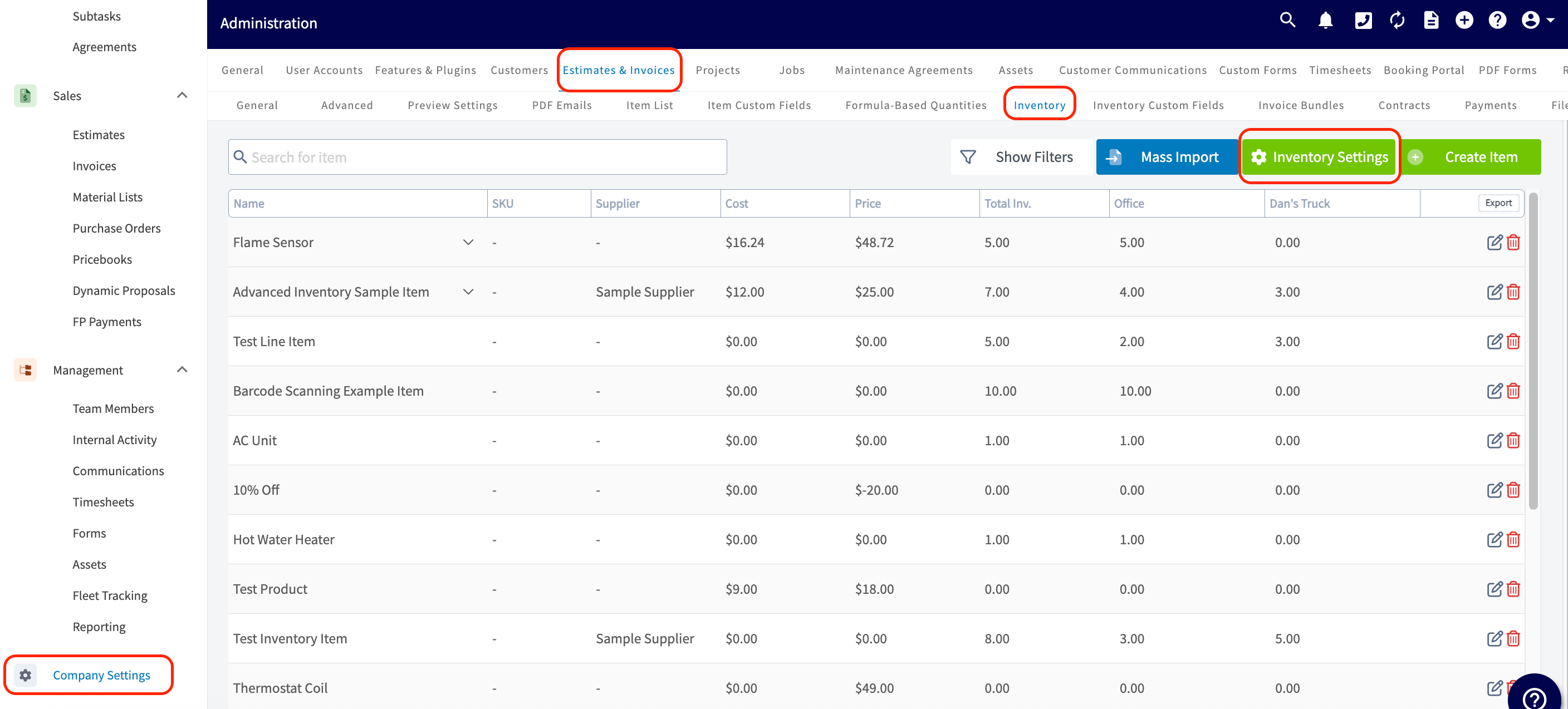
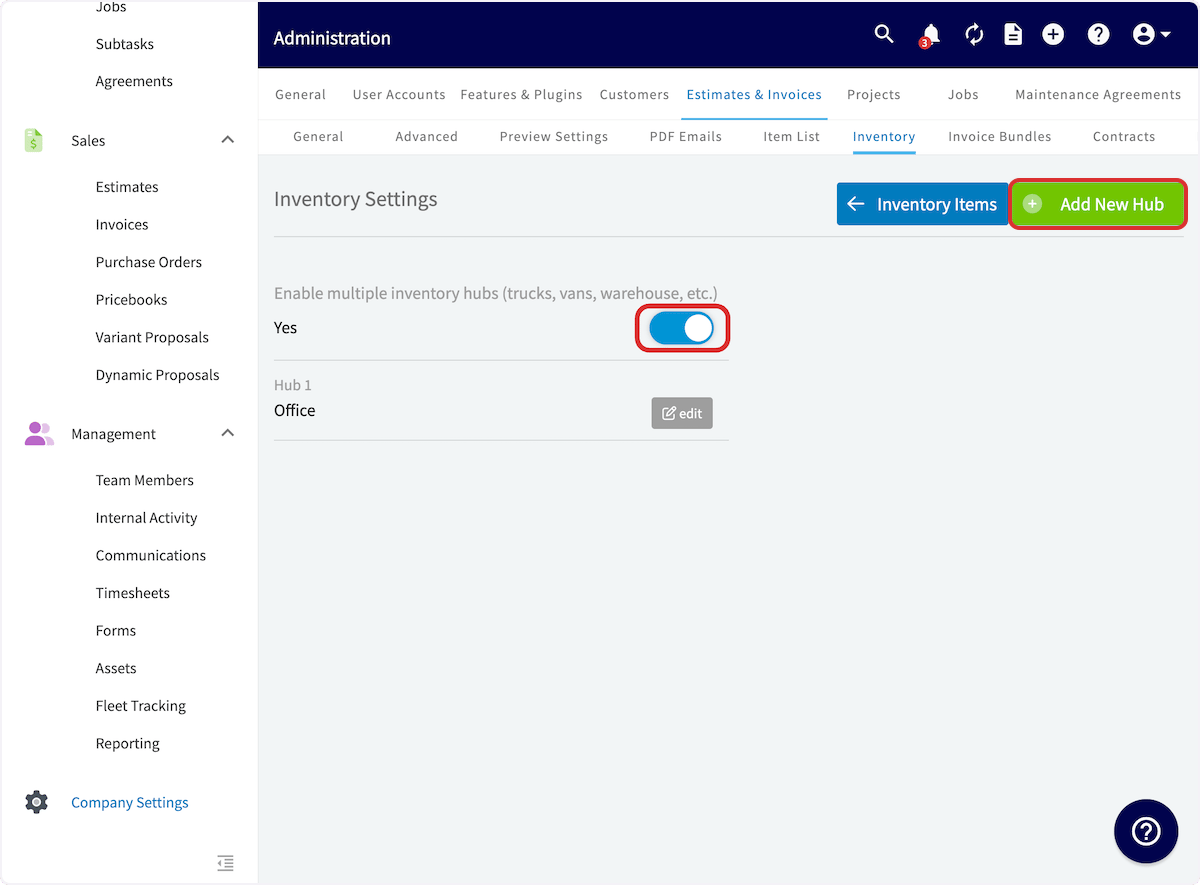
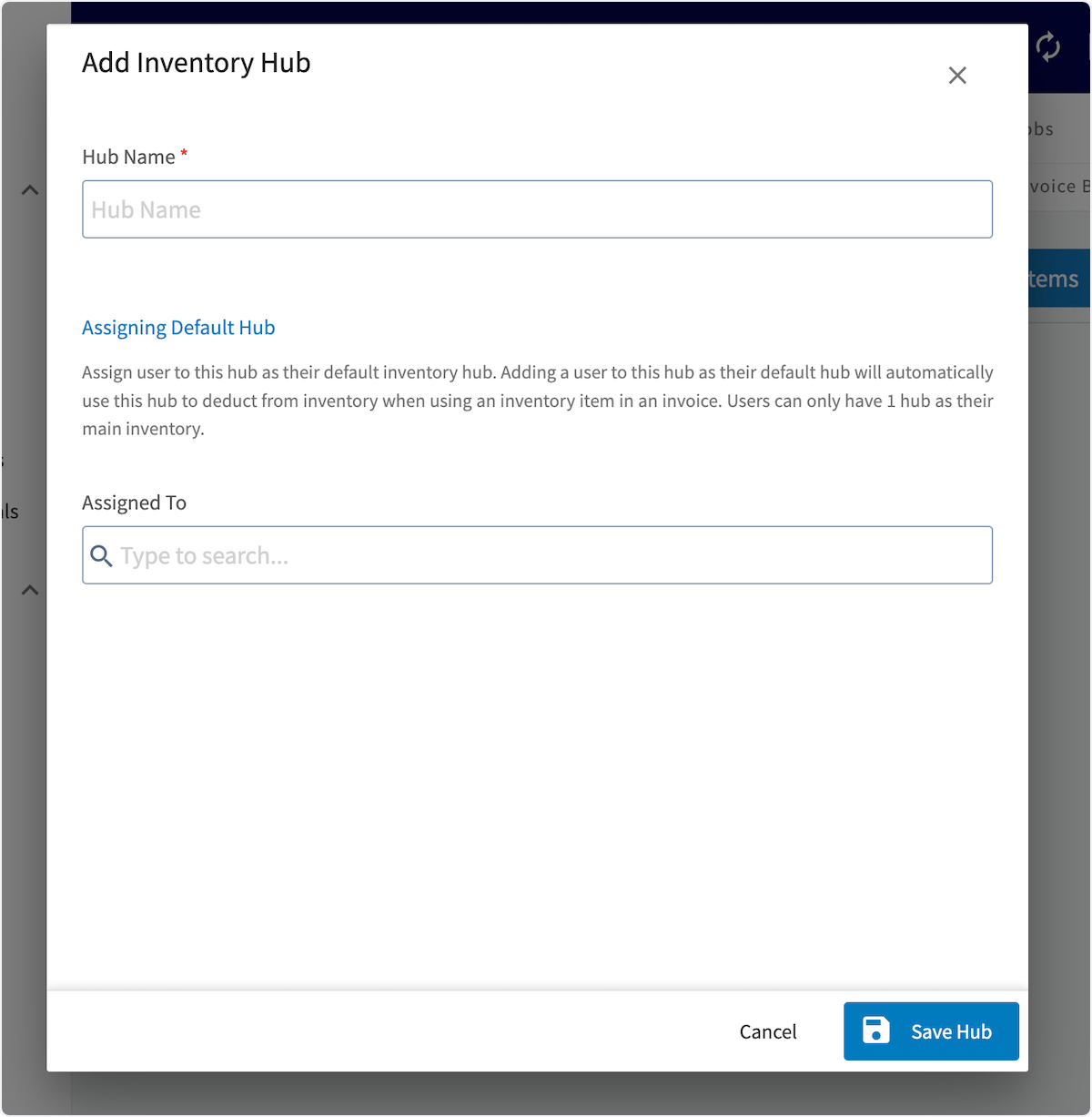
Adding Inventory to Hubs
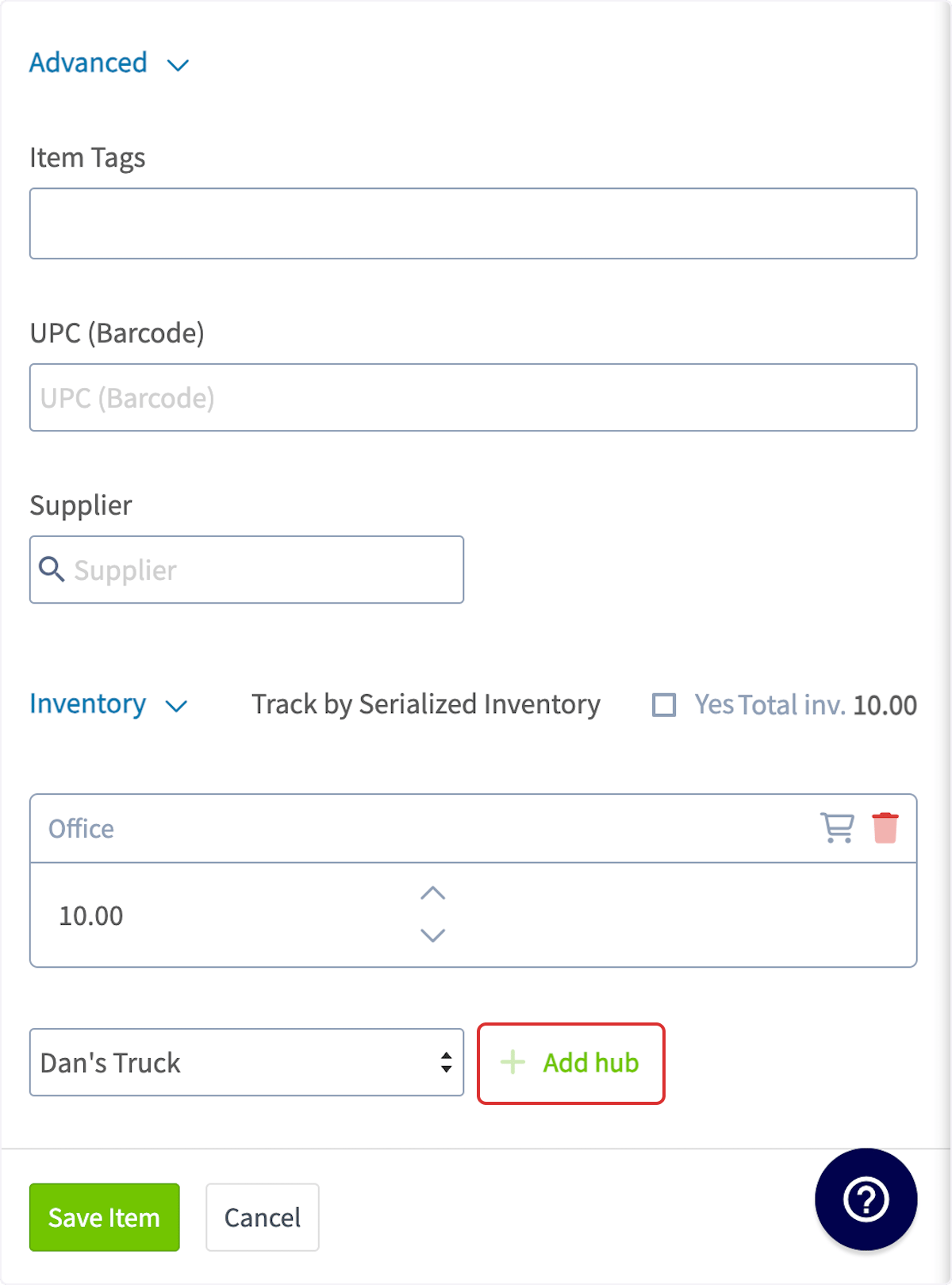
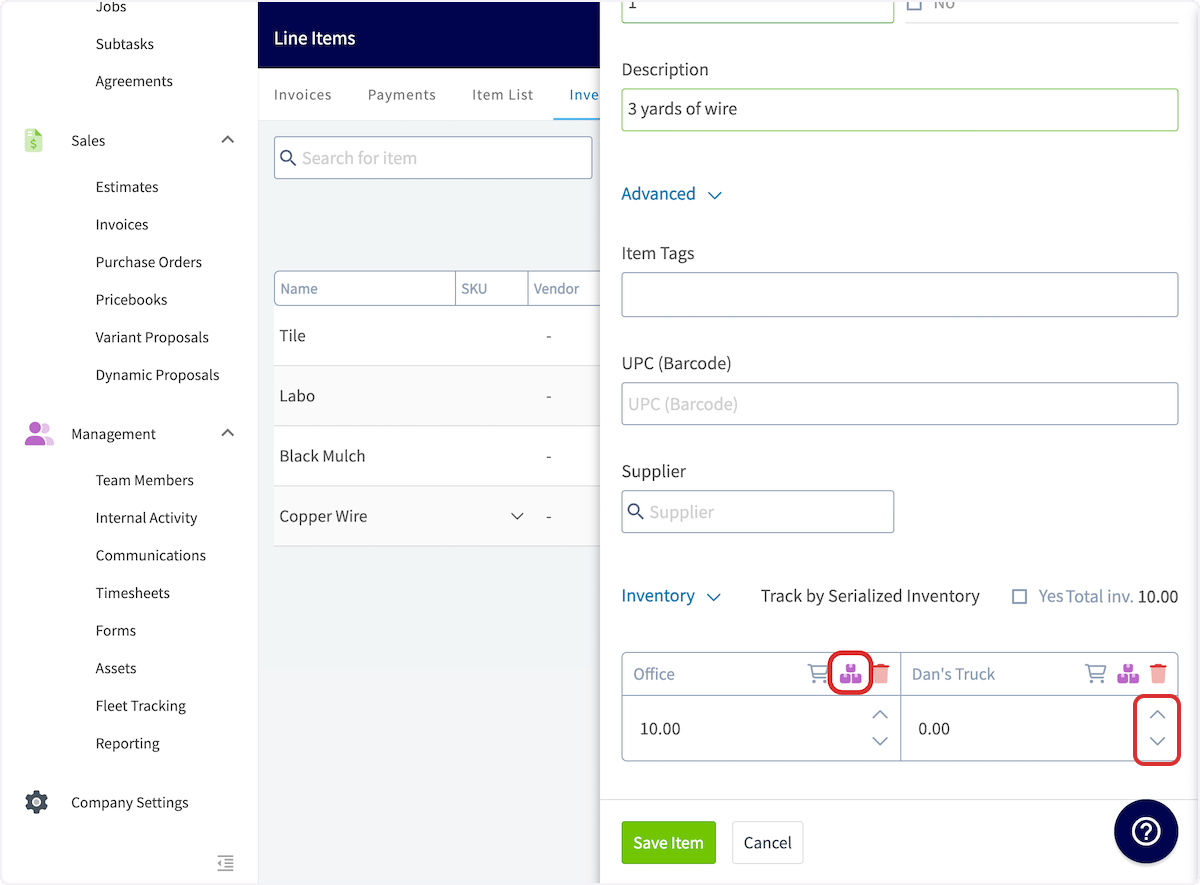
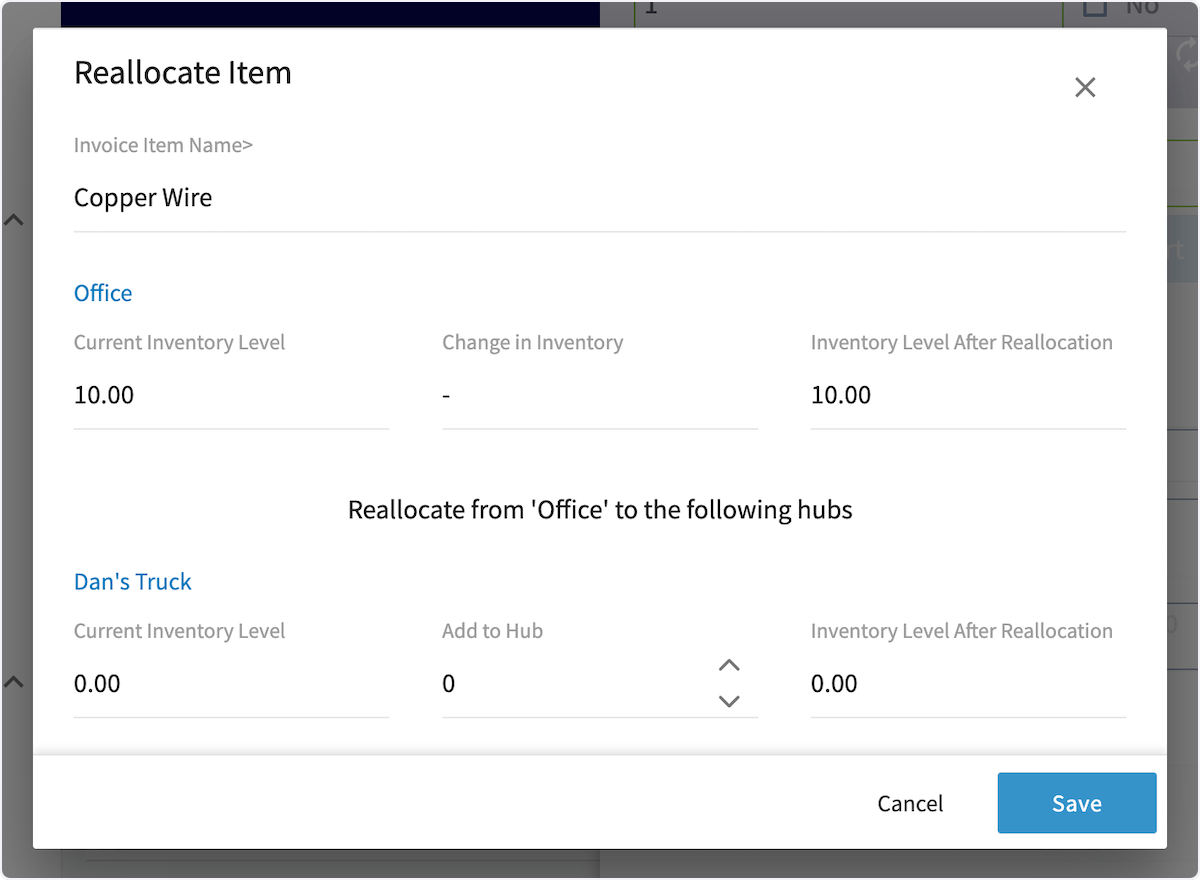
To add inventory to a hub, begin by navigating to Invoices in the left-side menu, then selecting Inventory. Click the pencil icon to edit the line item you wish to update. You can also add inventory to hubs when creating a new line item.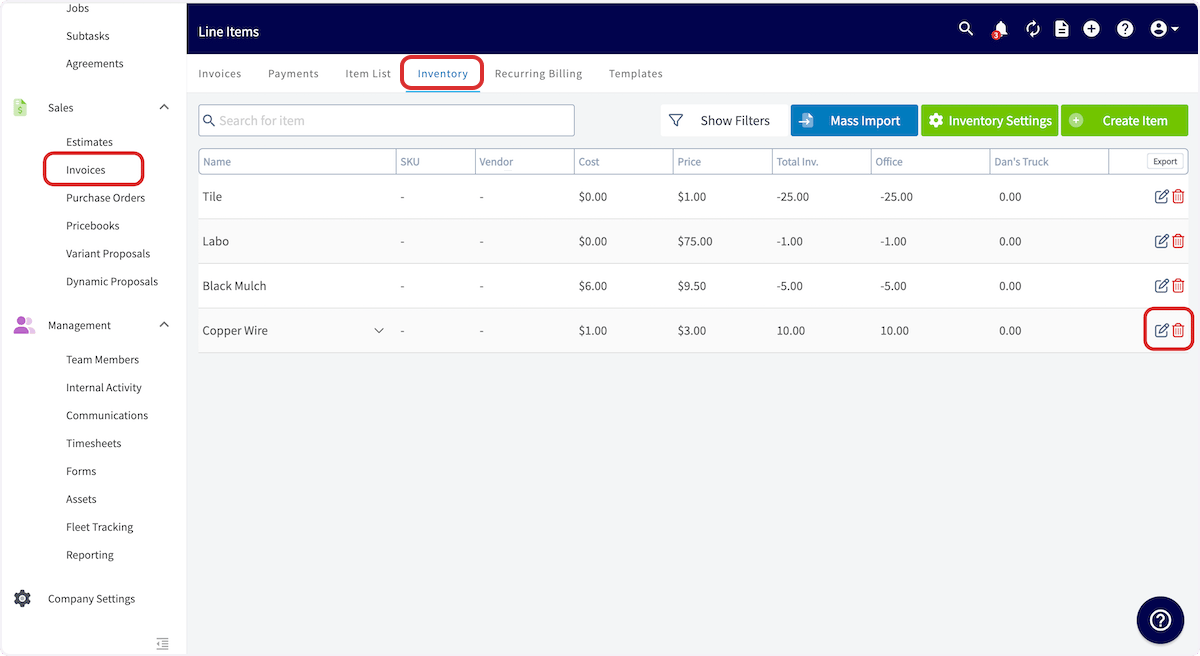
FAQs
Is there a limit to the amount of hubs that can be added? No, there is no limit.Have additional questions? Contact us at support@fieldpulse.com or use the chat feature in the bottom right corner of your screen.