
Adjusting Inventory Permissions
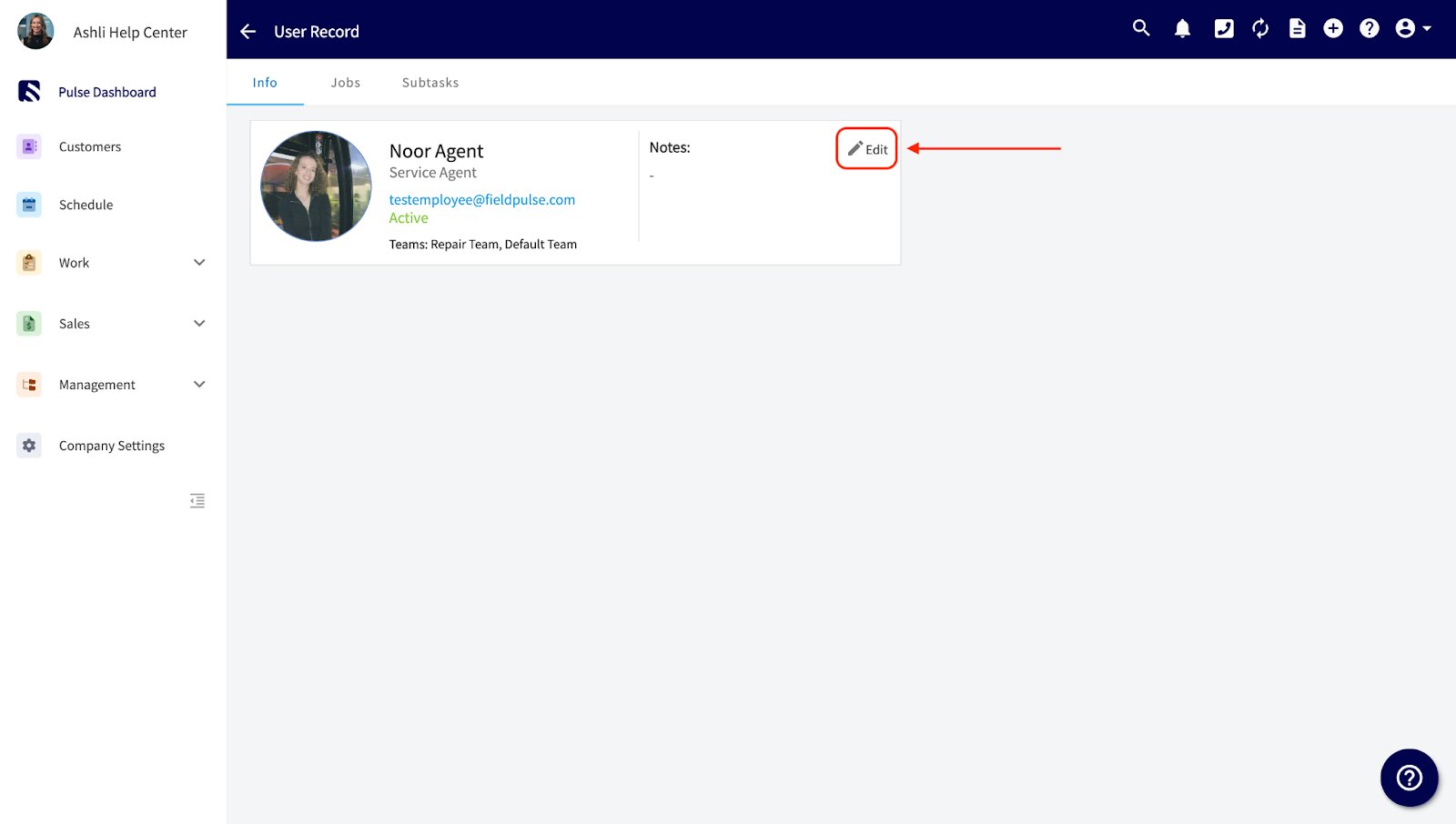
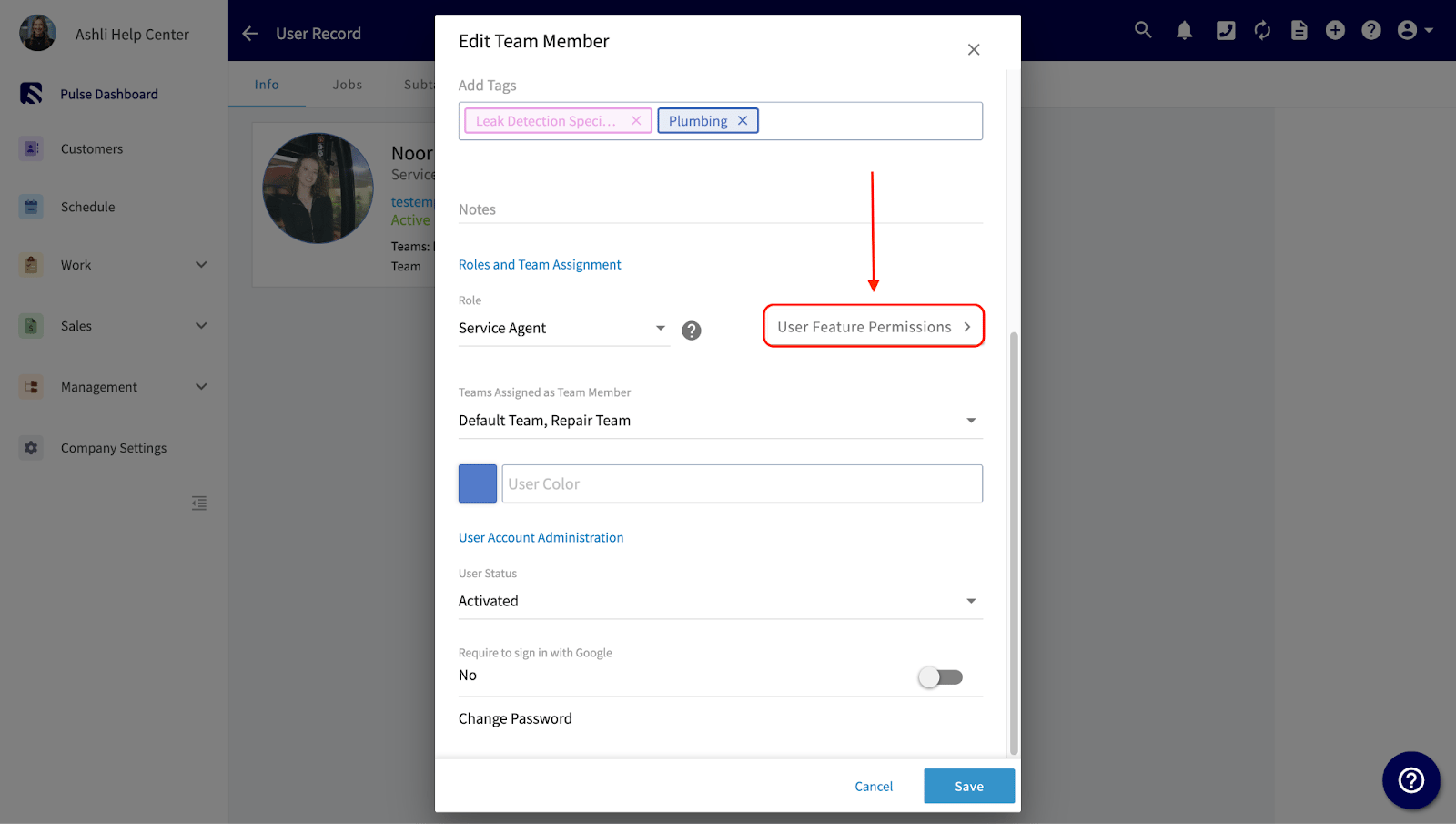
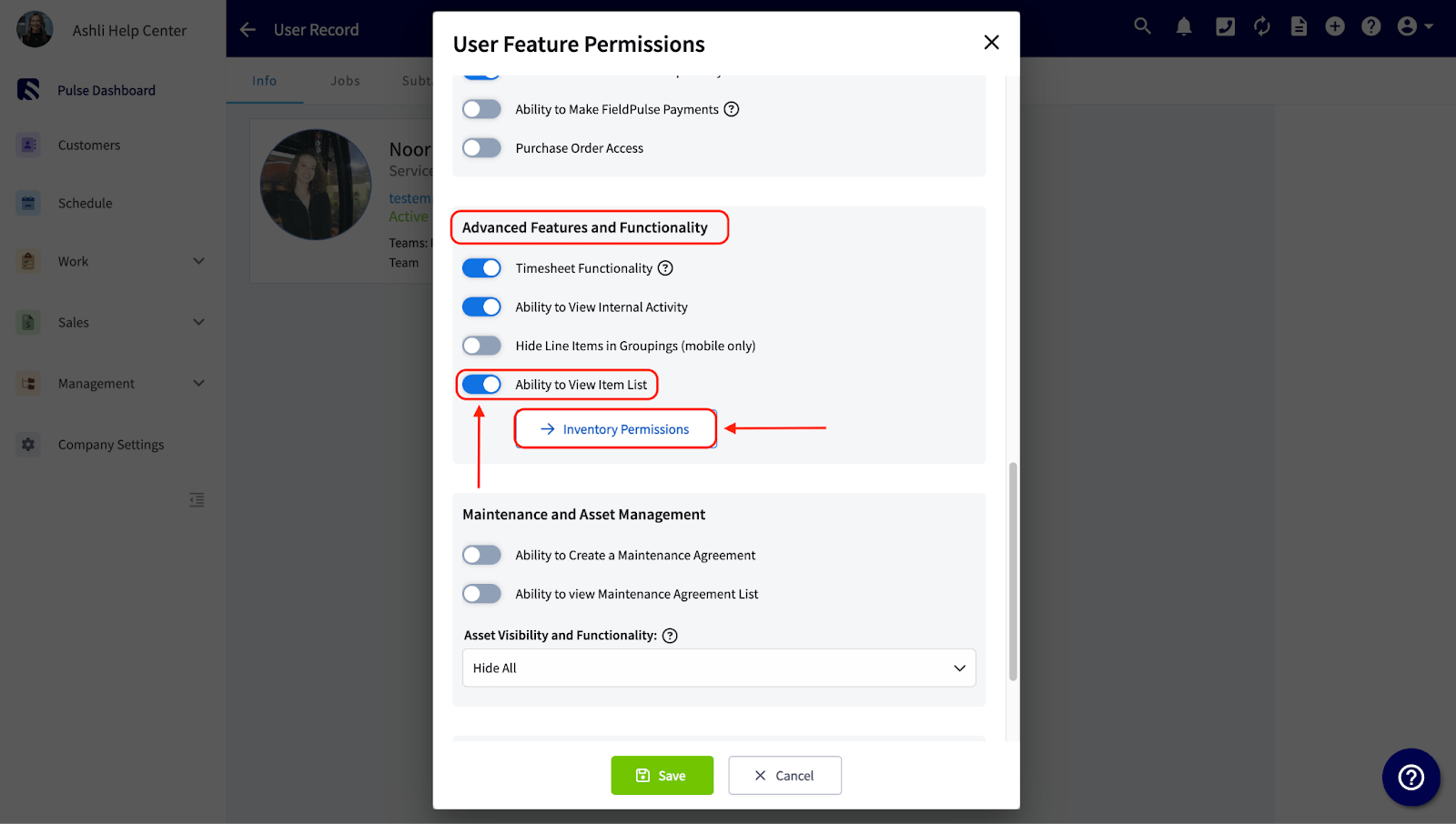
Navigate to Company Settings, then select User Accounts. Click directly on a user, then click Edit.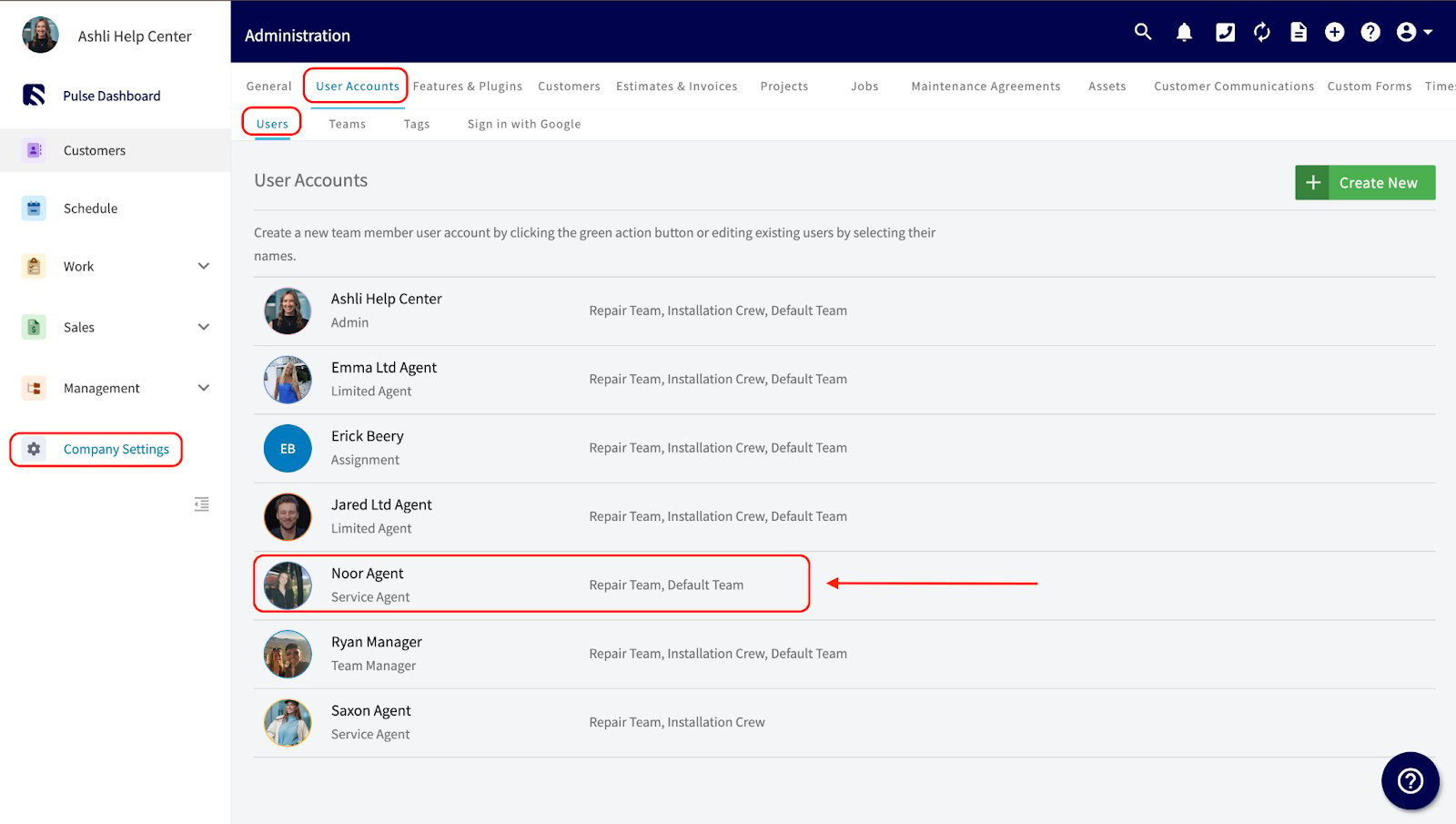
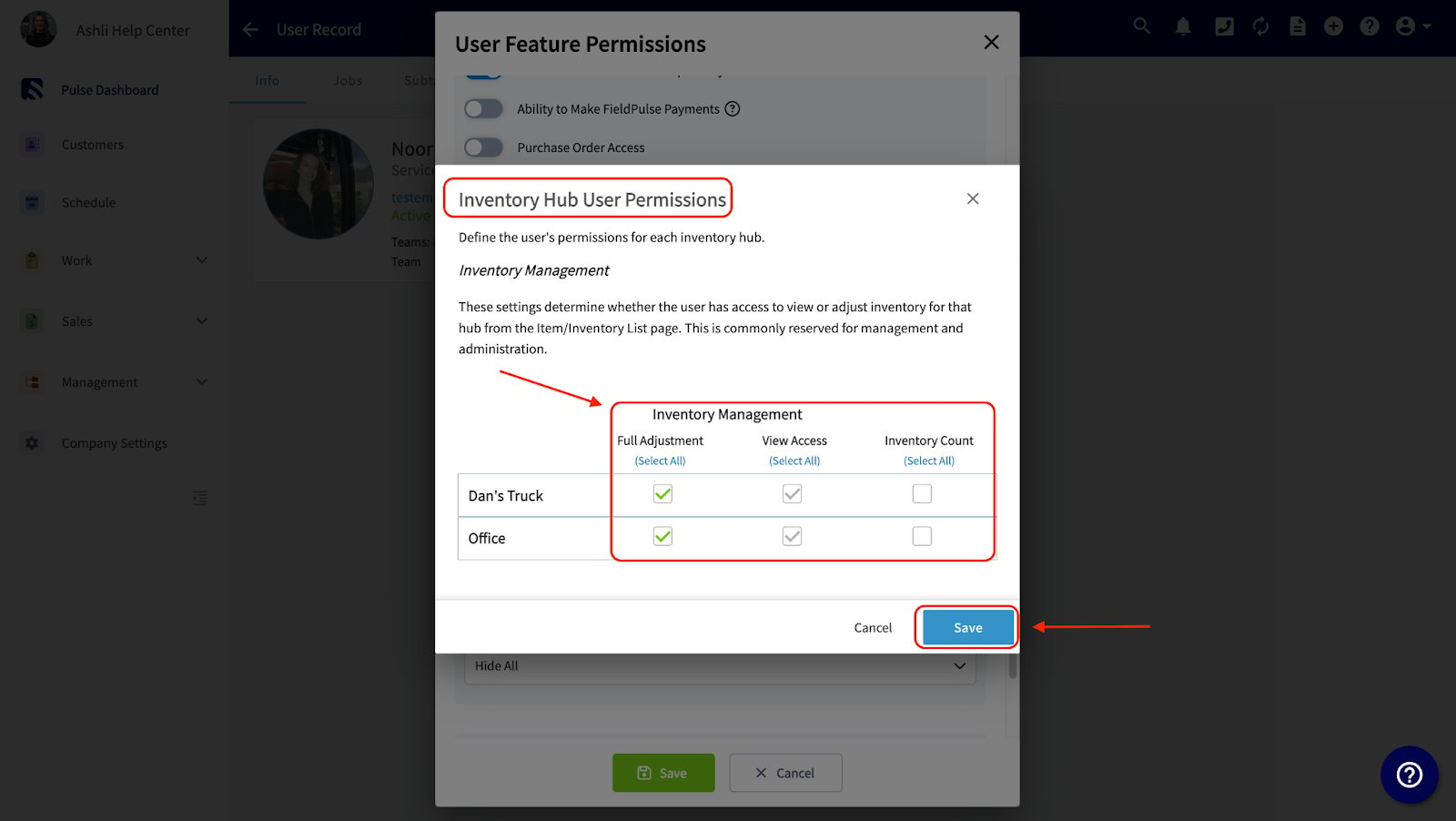
- Admin or Founding User: Permissions cannot be edited as they have full system access.
- Team Manager: Permissions can be edited.
- Service Agent: Permissions can be edited.
- Limited Agent: Permissions not available.
- Assignment User: Permissions not available as they cannot access the FieldPulse app.
To learn more about user roles within FieldPulse, the user roles guide.
See it in Action
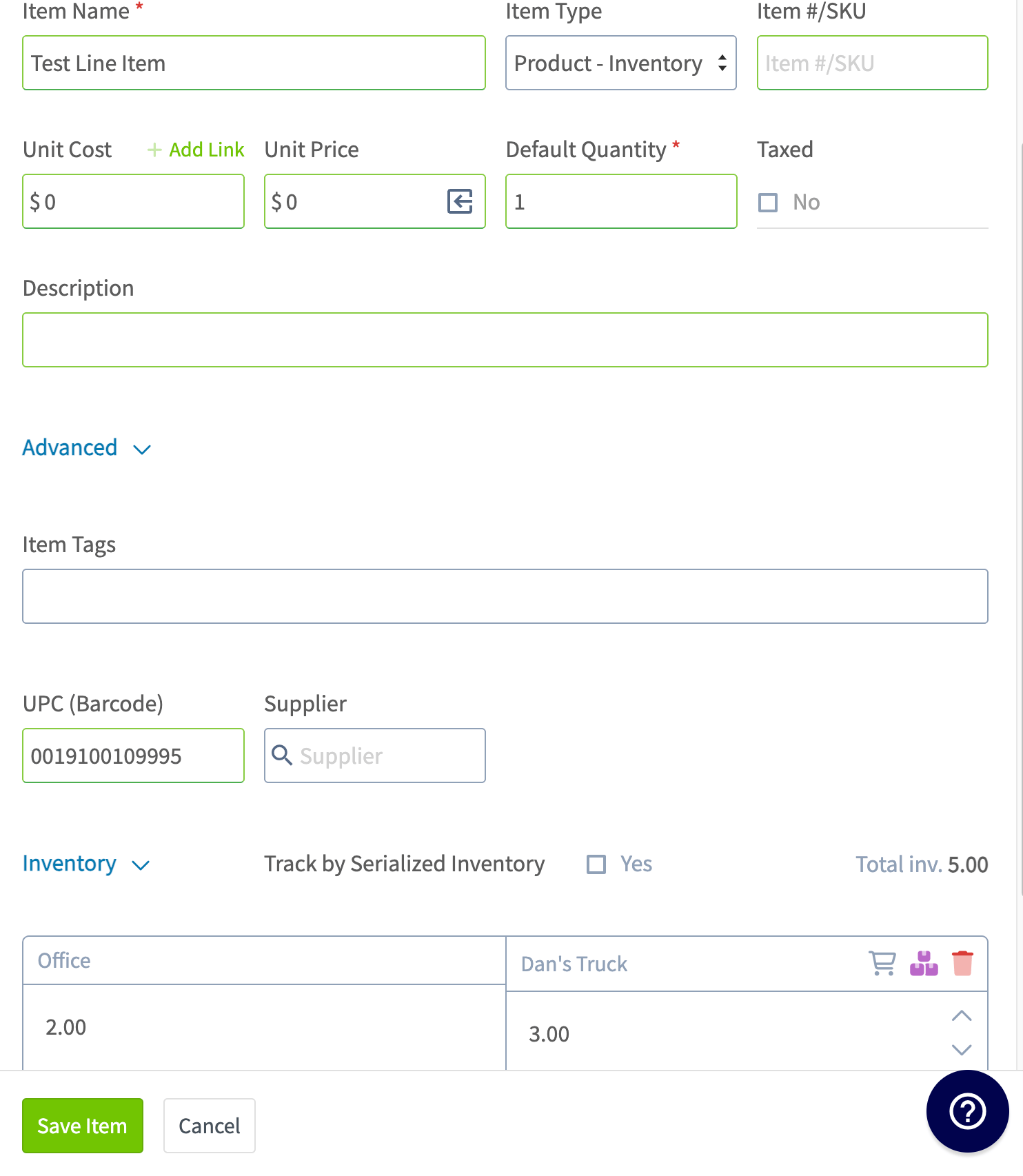
These images show a user with Full Adjustment for “Dan’s Truck” and View Access for “Office”.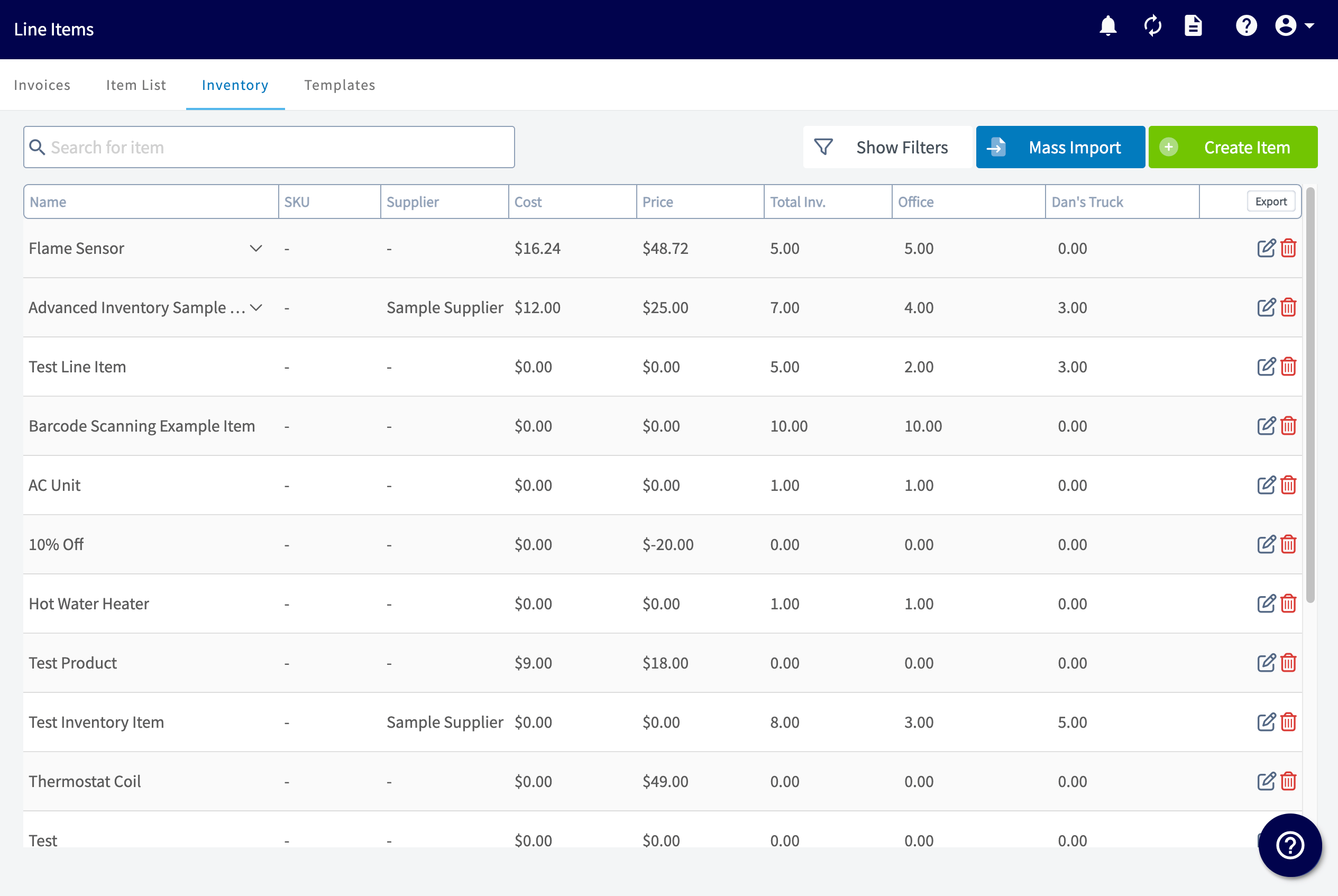
Have additional questions? Contact us at support@fieldpulse.com or use the chat feature in the bottom right corner of your screen.