
Overview
Notifications allows you to toggle the incoming message tone on or off based on your preference.Engage Web App Ringer Silencer
The Engage web app offers a powerful ringer silencer feature to help manage call notifications, especially in scenarios where multiple people share a single phone line. Manual Ringer Silencing- Individual Control: If multiple users share a line, the ringer silencer allows you to mute the ringer on your specific device. This ensures the call alert continues for other line assignees and managers, preventing unnecessary distractions for you.
-
How to Silence:
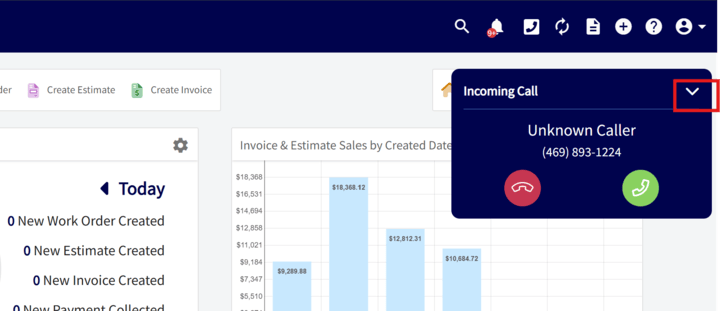
- Click the arrow icon on the incoming call pop-up to silence the ringer.
- To respond to the silenced call, click on the pop-up again to view accept/end options.
Automatic Silencing During Active Calls
- Admin-Controlled: Admin users can enable a setting to automatically mute incoming call sounds on the web app when a user is already on an active call. This setting applies to all Engage users and phone lines in the company.
-
What Happens When ON:
- Users on an active call will not hear ringing for new incoming calls.
- Visual notifications for incoming calls will still be displayed on both the web and mobile app.
- Calls will continue to appear in reporting and missed call lists.
- Note for Mobile Users: Mobile users must continue to manually silence calls using their device’s volume controls.
Mark missed calls as unread messages in the conversation list
When enabled, missed calls will mark the conversation as unread, in addition to appearing in the calls list. Turn this off if you only want missed calls to appear in the calls list without triggering unread notifications in the conversation view. The default setting for this is on.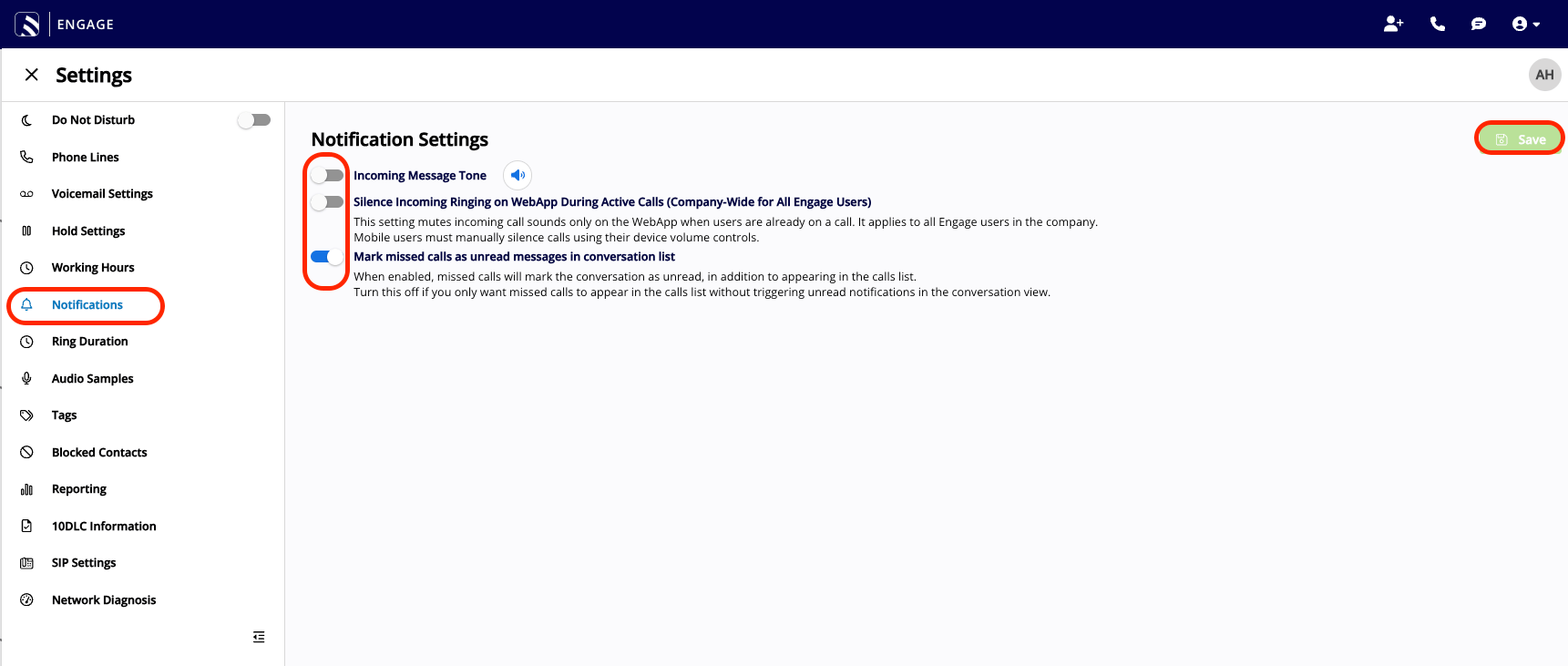
Have additional questions? Contact us at support@fieldpulse.com or use the chat feature in the bottom right corner of your screen.