
Who uses this: Admins — Custom Status Workflows are built in Company Settings, which only the Admin role can view. Availability: Custom Status Workflows are built in FieldPulse Company Settings; ClearPath Status Action Flows are included with your FieldPulse subscription at no extra cost.A workflow is the series of steps your business takes to acquire customers, deliver services, and collect payments. Designing one happens before you open the builder — you decide which statuses a job moves through, who owns each status, and what has to happen before the job advances. If your business offers multiple services, design a distinct workflow for each service, then build each one in FieldPulse as a Custom Status Workflow.
Overview
Think about how your business operates and which services generate your revenue. Whether you focus on residential or commercial work, the workflow is the repeatable path each of those services follows from first contact to paid invoice, written down as statuses your whole team recognizes. Studies indicate that businesses with optimized workflows can increase their revenue by as much as 20%. That increase is often attributed to higher productivity, reduced downtime, and the ability to take on more services and jobs through repeatable processes.To start building your Custom Status Workflows for jobs in FieldPulse, open the custom status workflow builder.
How it works
A field service workflow is built from five pillars, and a complete workflow touches all five. Each pillar covers a critical part of your operations, so use the questions under each one as your checklist while you map out statuses.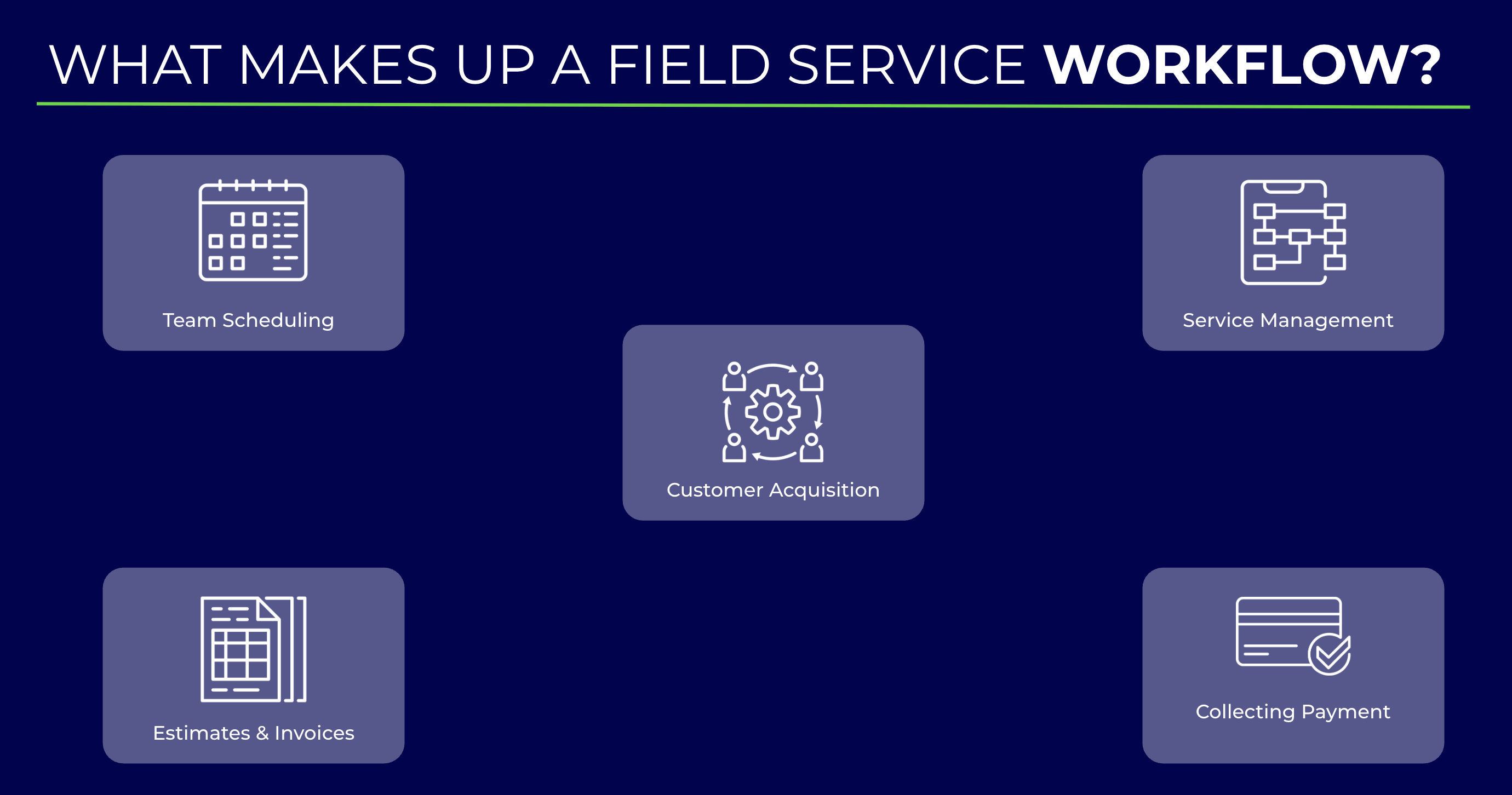
Customer acquisition
- Lead source tracking — Are you monitoring how customers find out about your business and services? See How to Track Lead Sources.
- Initial contact process — What happens as soon as a customer calls requesting service, and does that response change depending on the type of service the customer needs?
Team scheduling
- Service assignment — Are there services you would leave unscheduled or unassigned at first?
- Team vs. individual assignments — Are you assigning services to an entire team or to specific team members?
- Specialization tracking — Do your team members have specific areas of expertise, and how are you tracking that so the most qualified person is assigned to each service?
Service management
- Pre-departure tasks — What do you want technicians to complete before they leave the service site?
- Documentation practices — How and where are technicians documenting their work on site? Options include custom forms, subtasks, job notes, and comments.
Estimates and invoices
- Estimate process — Is the estimate a separate visit, or do you estimate and begin work the same day?
- Estimate options — Do you offer traditional estimates or “good, better, best” options?
- Signature requirements — Do you require a signature on an estimate before work starts, and is that signature collected in person or sent by email with a dynamic link?
- Pricebook use — Do you use a pricebook to keep estimates consistent?
- Template use — For services with consistent materials and charges, can you work from an estimate or invoice template?
Collecting payment
- Payment process — What does the payment process look like for your business, and do you plan to collect payment on site? FieldPulse Payments covers that step.
- Financing options — Do you offer financing to your customers, through Acorn Finance or Wisetack?
- Follow-up procedures — Do you have a follow-up process for invoices that are past due?
What shapes your workflow
Two workflows rarely look the same, because the work behind them is not the same. Account for each of these factors before you list your statuses.Service type
The steps in a workflow vary with the type of service being performed.- Emergency services require quick responses, which often means fewer workflow steps and statuses.
- Installation services are structured around a systematic setup, so every necessary task is completed in order.
- Standard maintenance services are built for thoroughness on general and preventative work, while staying flexible enough to absorb varying service needs and unexpected repairs.
Team size and structure
- Smaller businesses — team members often wear multiple hats, which allows for a fast-paced environment. Workflows may be shorter, but they still need to be clearly defined so service delivery stays consistent.
- Larger businesses — these teams typically use more granular workflows with clearly defined roles and responsibilities, and they add checks and balances such as multiple approval stages for estimates and invoices.
Business goals
Weight the workflow toward the goals that matter most to your business.- Customer satisfaction — prioritize effective communication and timely service delivery, and establish follow-up processes that confirm the customer is satisfied.
- Increase revenue — create and test repeatable, templated workflows that speed up job completion, raise service capacity, and make room for upselling and cross-selling, such as offering maintenance plans during a service call.
- Compliance and safety — build in the steps that keep the business compliant and protect its reputation. An electrical company, for example, may require mandatory safety checks and documentation on every service.
- Operational efficiency — define roles and responsibilities clearly, use subtasks and custom forms to reduce delays, and create record templates for job, estimate, and invoice records tied to specific services.
Regulatory compliance
Each trade carries its own regulations and standards. Your workflow should include the steps that keep you compliant with local, state, and federal regulations, including safety protocols and licensing requirements — the foundation of legal and operational integrity.Job complexity
Complex projects need extra steps for planning, coordination, and execution, while simpler tasks run on shorter paths. Assess how complex your jobs are to decide which statuses and subtasks belong in the workflow.Communication cadence
Timely communication is central to quality service. Decide where in the workflow you contact the customer, and include the follow-up steps that catch concerns before they turn into complaints.Inventory and supply chain
Material and equipment availability affects how a job moves. Managing inventory well reduces delays, and when supplies have to be ordered for a job, your workflow can carry a dedicated status or step for that order.Payment timing
Understanding when and how you get paid keeps cash flow predictable. Build invoicing and collection into the workflow itself so payment is a step in the process rather than an afterthought.What makes a workflow effective
Common inefficiencies
These are the patterns the FieldPulse team sees slow workflows down. Knowing them up front lets you adjust your process while you are still designing it.Build your workflow
- Start from a workflow blueprint that is close to the service you are mapping.
- Adjust the statuses so they match how your business actually runs that job.
- Save the result as a Custom Status Workflow in the custom status workflow builder.
- Add a ClearPath Status Action Flow so each status tells the technician exactly what to do.