
Enabling Invoice Cost Basis
To enable invoice cost basis, navigate to Company Settings in the left-side menu and click Estimates & Invoices. Then click Advanced in the sub header. On the Advanced Invoice Settings page, toggle Invoice Cost Basis on.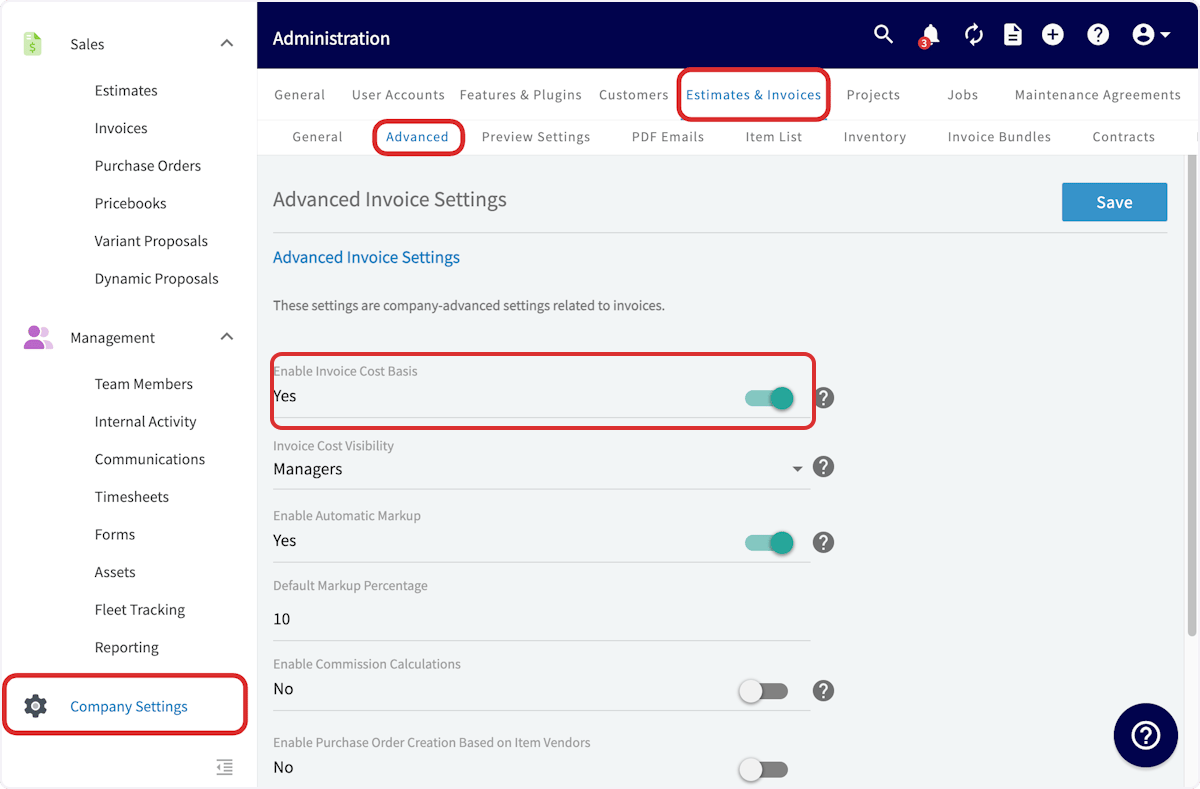
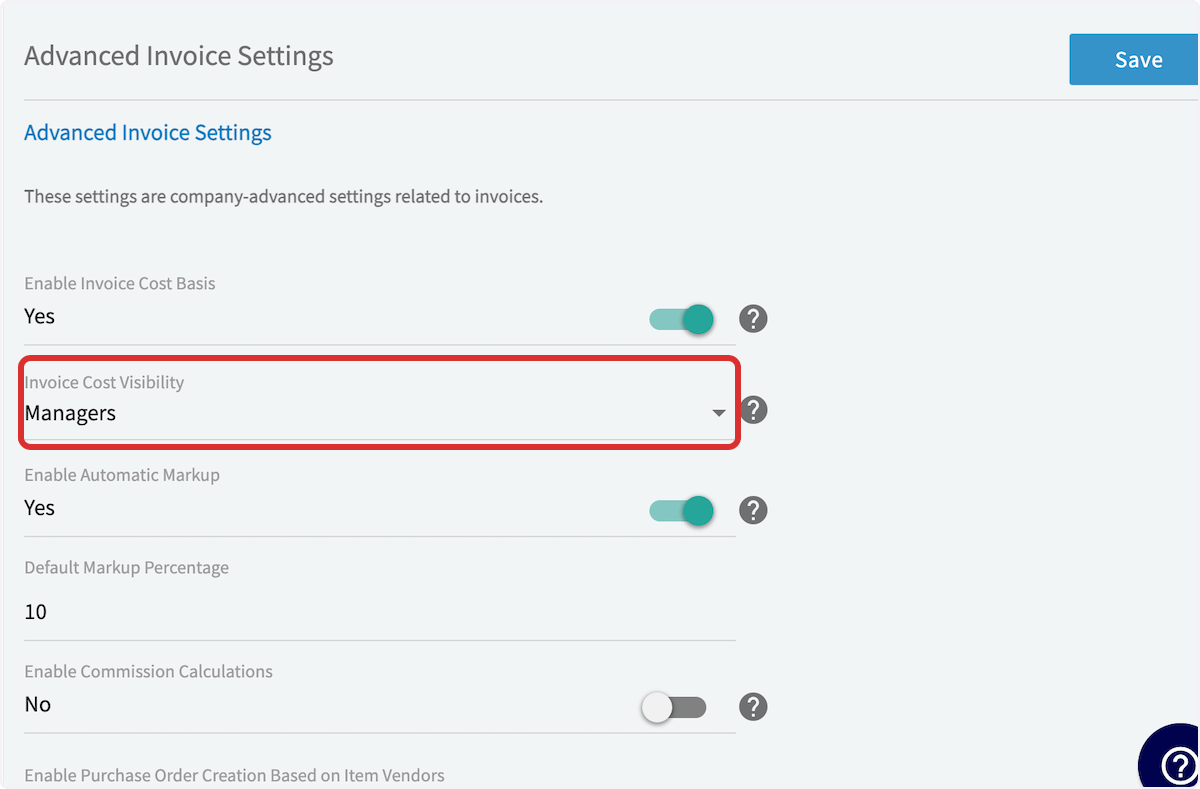
Viewing Invoice Cost Basis
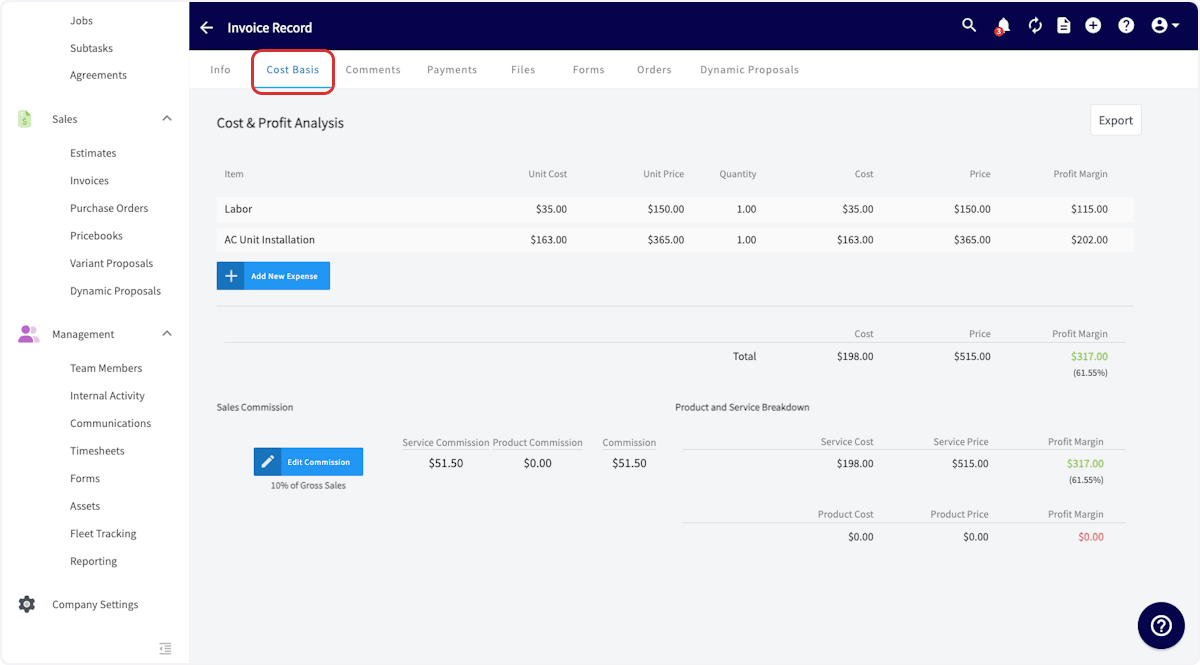
Now, you’ll want to open an existing invoice record or create a new invoice. Once you’ve entered your line items with their respective unit costs and the other relevant information, scroll down to the bottom of the page and click Save to create the invoice. Then, on the Invoice Record page, click on Cost Basis in the top menu.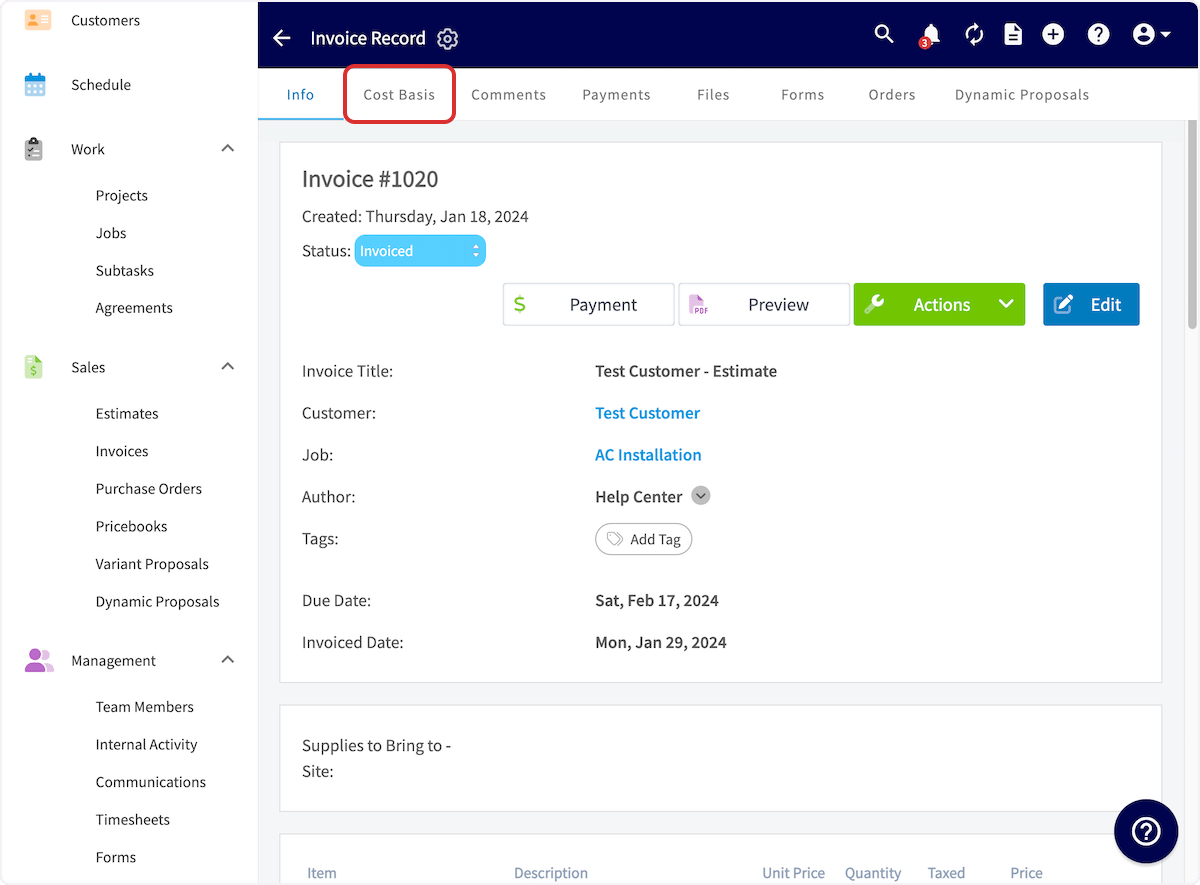
Have additional questions? Contact us at support@fieldpulse.com or use the chat feature in the bottom right corner of your screen.