
Individual Markups
In FieldPulse, you can create individual line item price markups. To do so, you can edit an existing line item or create a new one. Navigate to Company Settings, then choose Estimates & Invoices, and go to Item List. Here you will see a list of all your line items. Create a new line item or edit an existing line item to apply a price markup.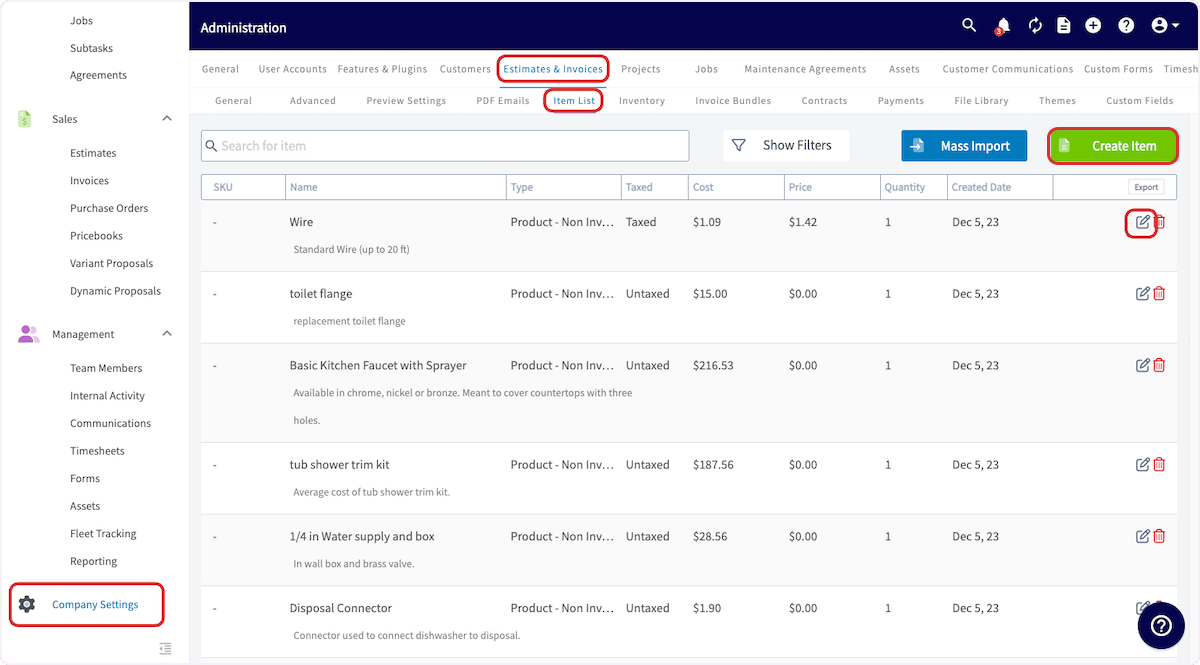
Automatic Markups
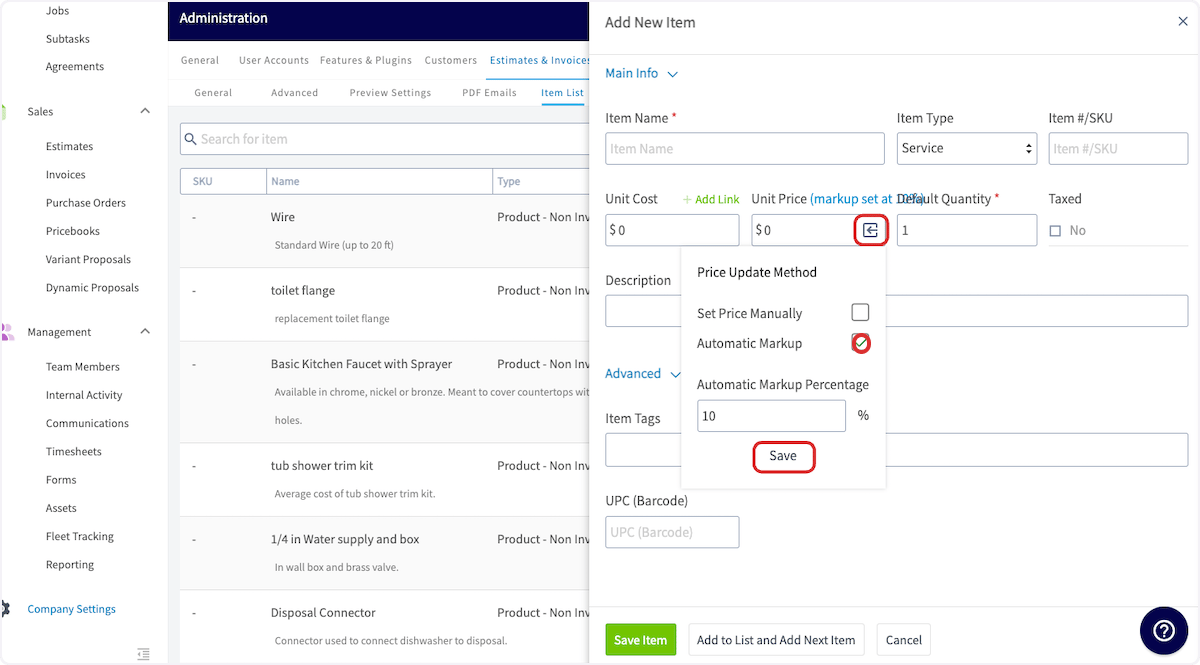
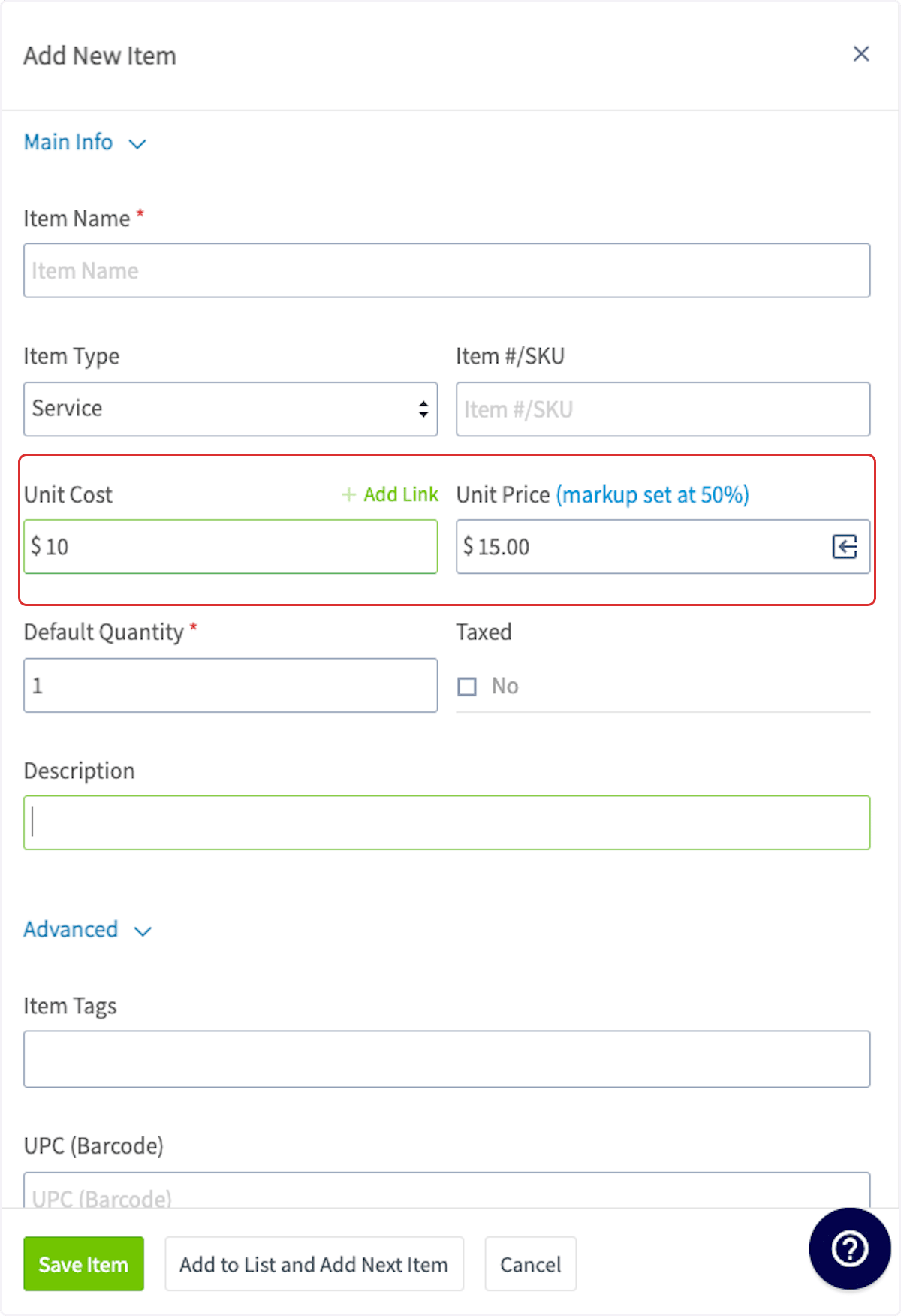
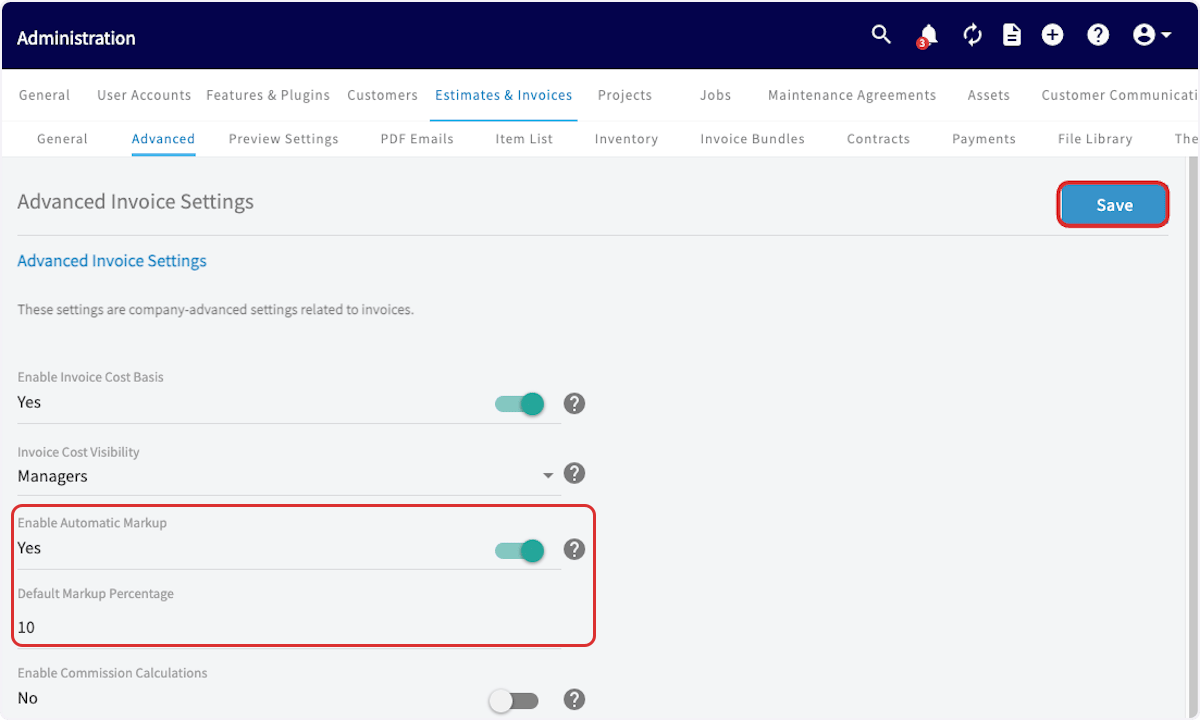
Automatic markup enables you to quickly apply markup on your line items based on the unit cost and markup percentage to automatically calculate a unit price for the line item. To do so, you can edit an existing line item or create a new one. Navigate to Company Settings, then choose Estimates & Invoices, and go to Advanced.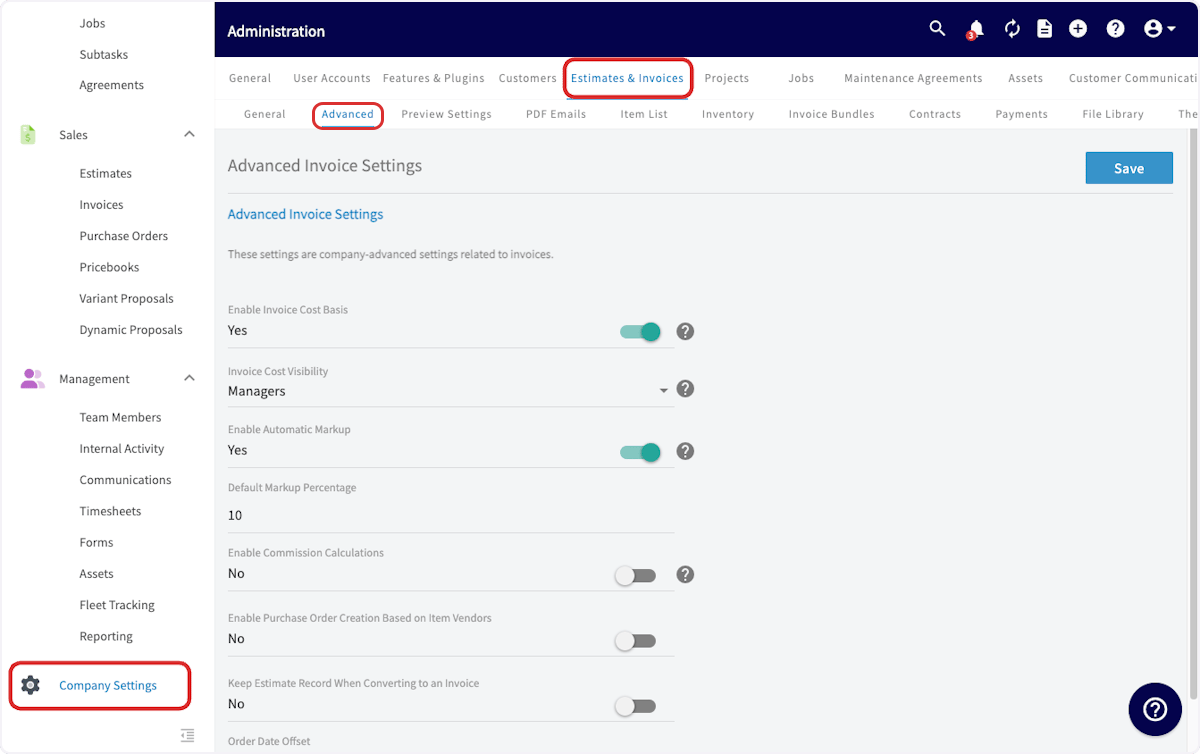
Markups & Margins on Estimates & Invoices
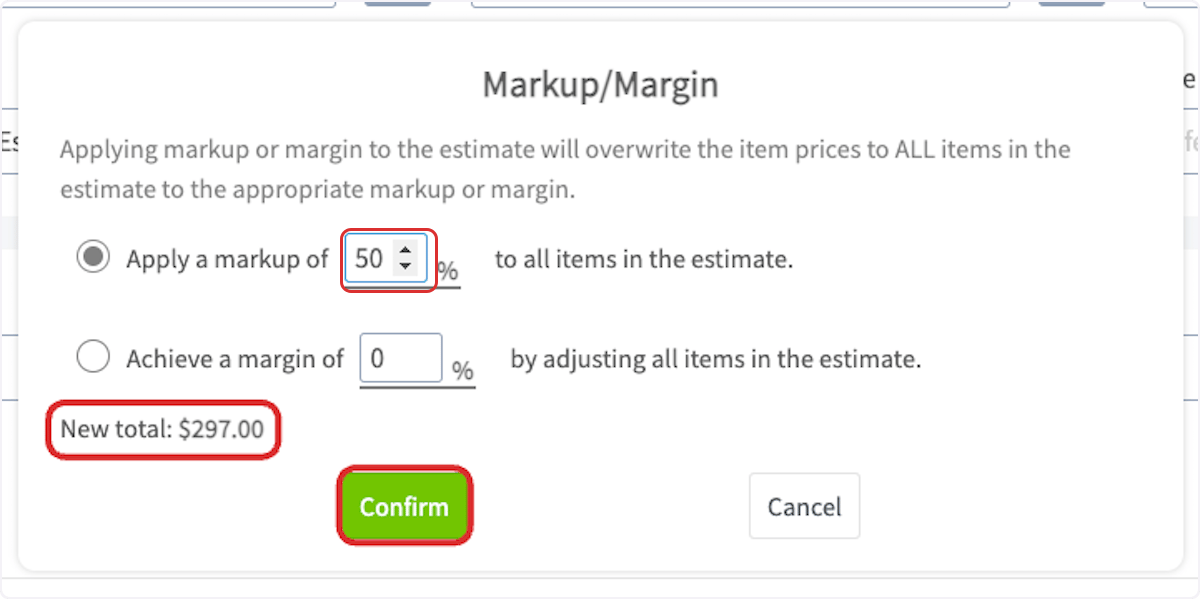
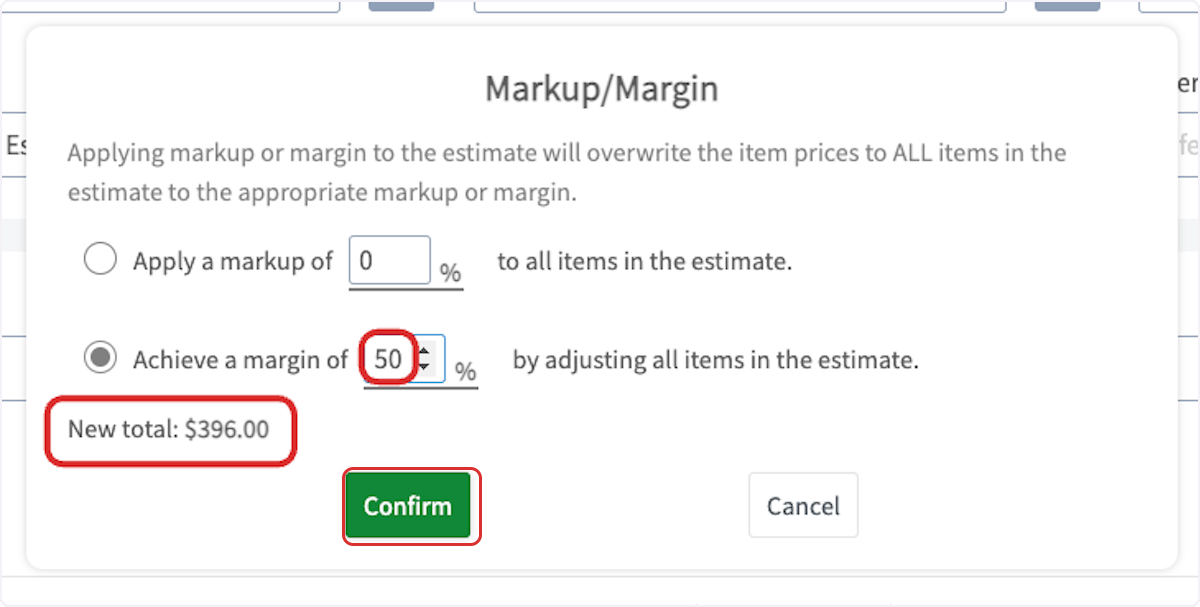
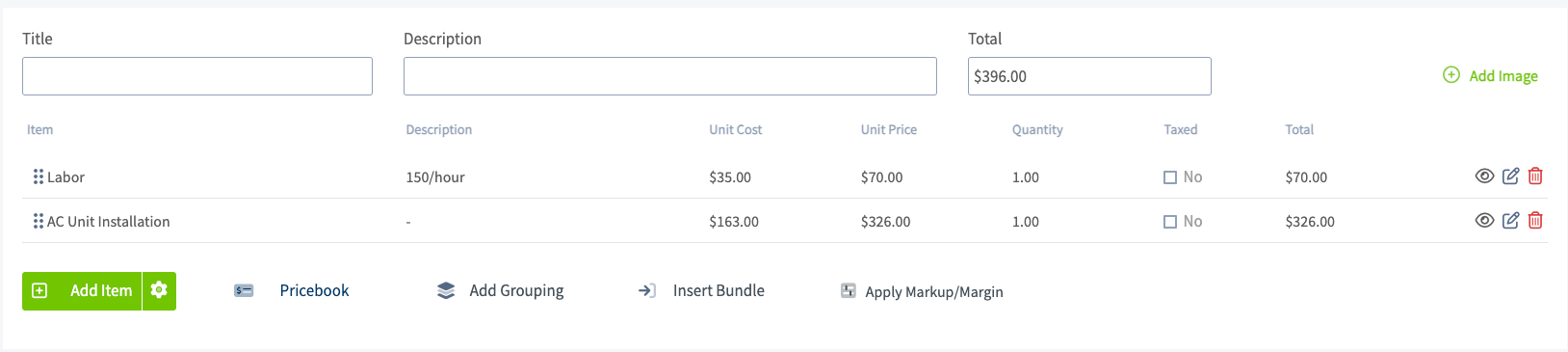
To apply a markup or a margin on an estimate or invoice, begin by adding your line items. Then, you can select Apply Markup/Margin.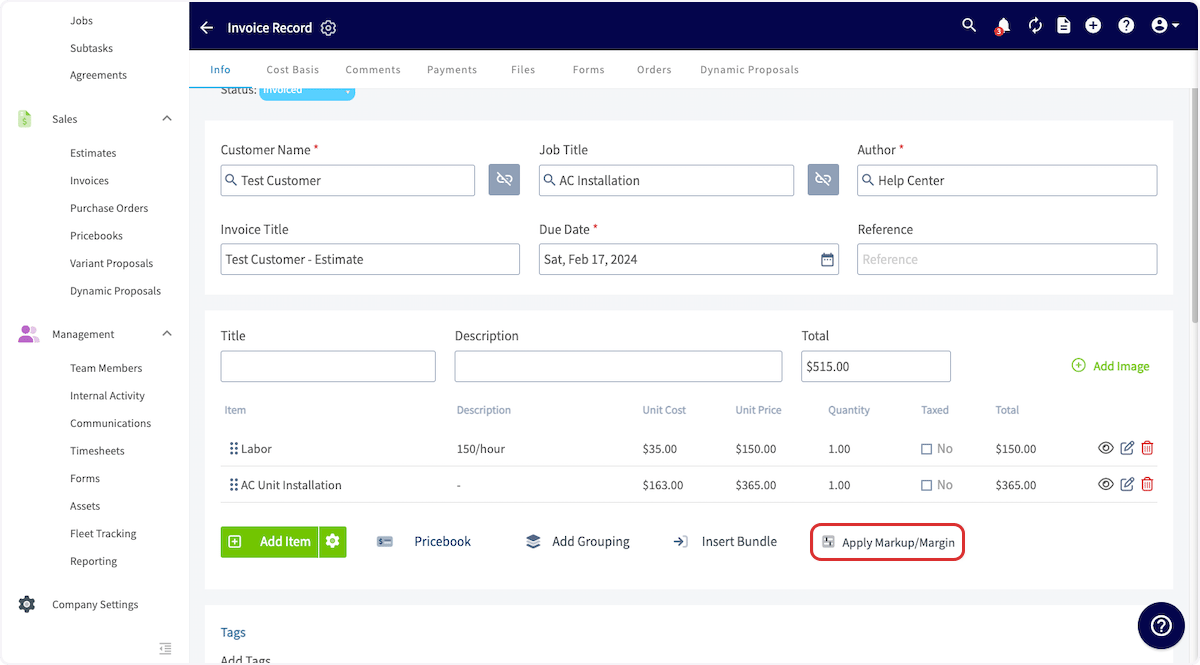
FAQs
If I update the Unit Cost on a line item directly on an estimate or invoice, will the Unit Price automatically recalculate? No. If you change the Unit Cost on a line item within an estimate or invoice, the Unit Price will not update automatically. You will need to reapply the Automatic Markup button on that line item for the Unit Price to be recalculated based on the updated Unit Cost.Have additional questions? Contact us at support@fieldpulse.com or use the chat feature in the bottom right corner of your screen.