
Who uses this: Admins have full reporting access, and Team Managers can be given it. Service Agents and Limited Agents do not have reporting access. Availability: All regions.A customer report is built from the Customers tab in raw data reporting, and it pulls your customer records — pipeline status, lead source, location, tags, custom fields, and invoice and estimate totals — into one table. That table is how you see where your revenue comes from.
Overview
A customer report answers questions about your customer base: which customers bring in the most invoiced revenue, where your leads come from, and how customers are distributed across your sales pipeline. Common customer reports include customers by invoice total, by pipeline status, and by lead source. Building a customer report follows the same path as every other raw data report — set a date range, choose the columns, set filters, then read the table. Customer reporting is part of FieldPulse’s dashboards and reporting. For the parts of the reporting flow that are the same on every record type — saving a report, adding it to your dashboard, and exporting to CSV — see How to Use Raw Data Reporting.Video walkthrough
Video walkthrough: Creating a report in raw data reporting
Before you begin
- Create the customer records you want to report on. See How to Create a Customer.
- Set up the customer fields you plan to report on, such as the statuses in Setting Up a Custom Sales Pipeline and the sources in How to Track Lead Sources.
- Check that your role has reporting access. An Admin has full reporting access; a Team Manager needs Full Reporting access turned on.
Set the date range
- Select Reporting under the Management tab in the left-side menu.
- Select the Customers tab, then select Raw Data.
- Select the calendar icon and choose the start date range you want to report on.
- Select Load Data.
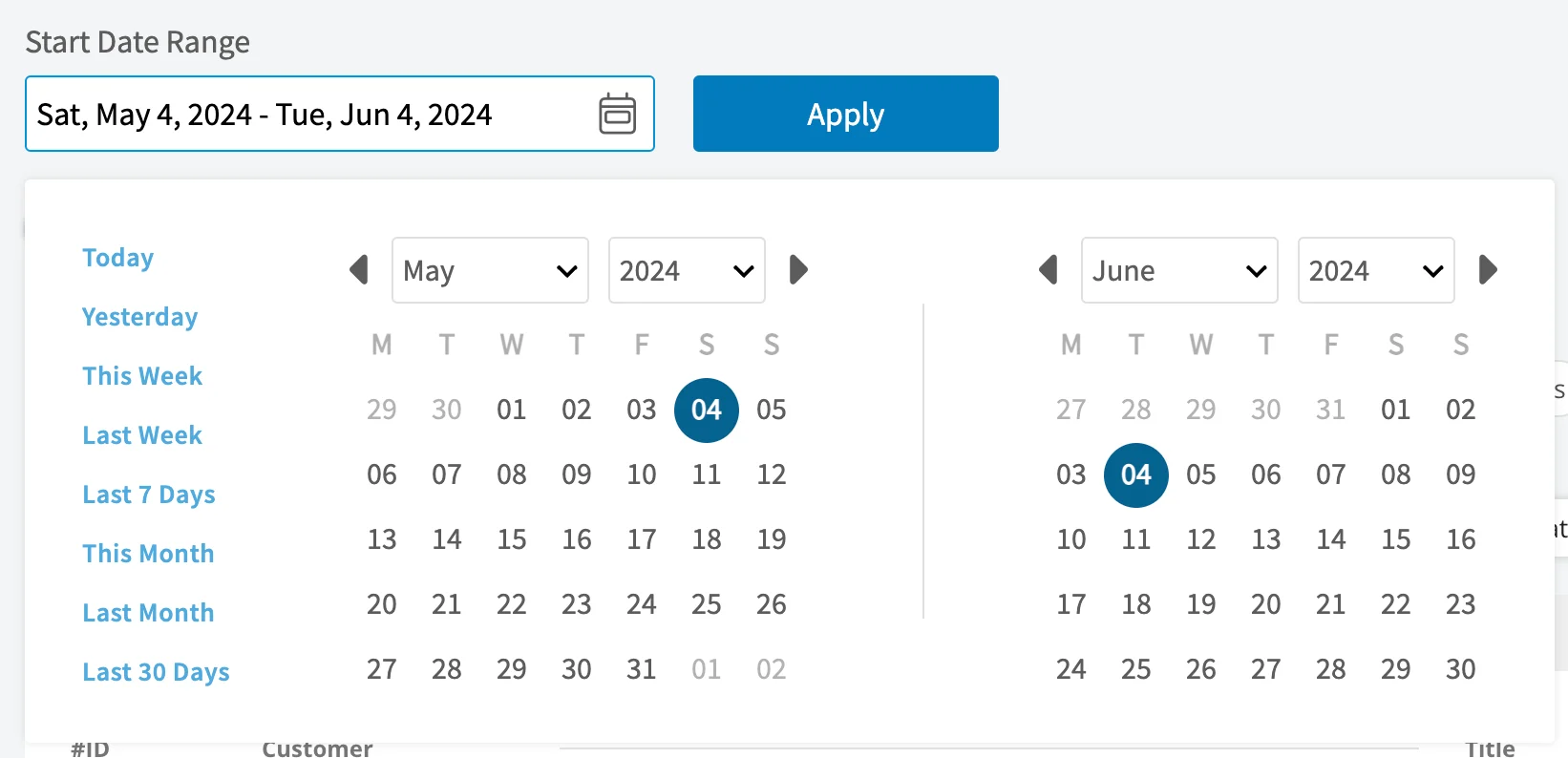
Choose your columns
Select Columns to choose which customer fields appear in the report table and the order they appear in.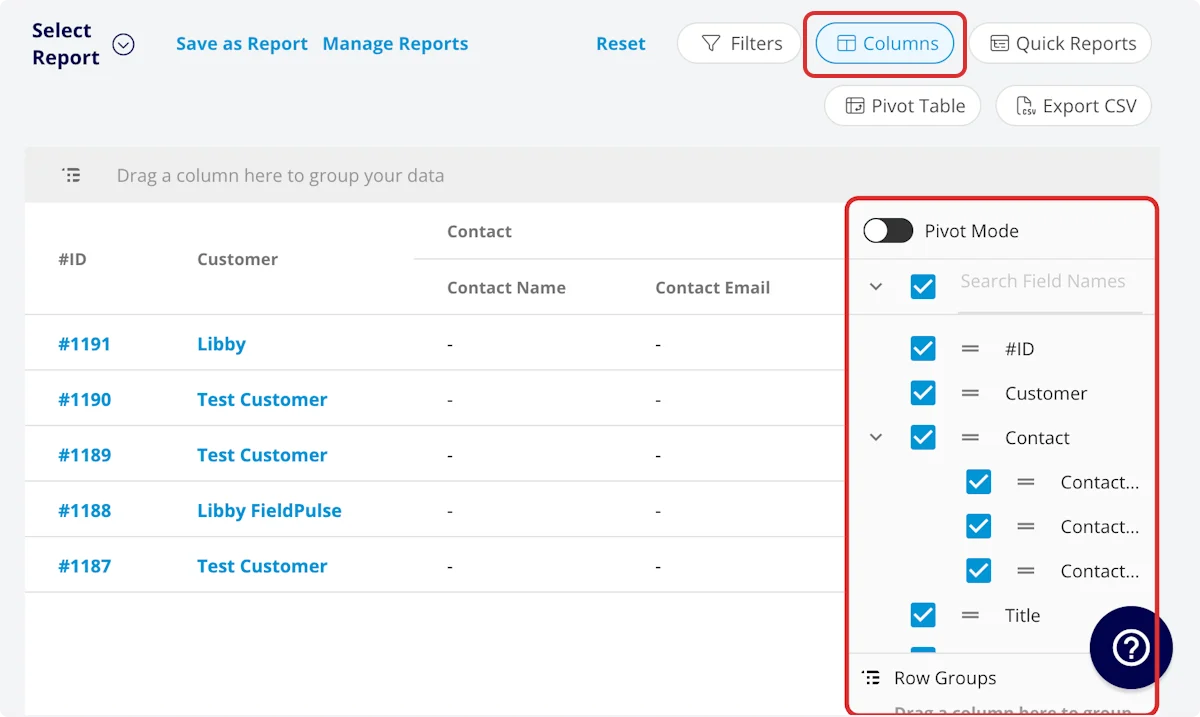
Set your filters
Before running the report, set filters to narrow the results. Select the Filters icon, then choose how you want to filter the report.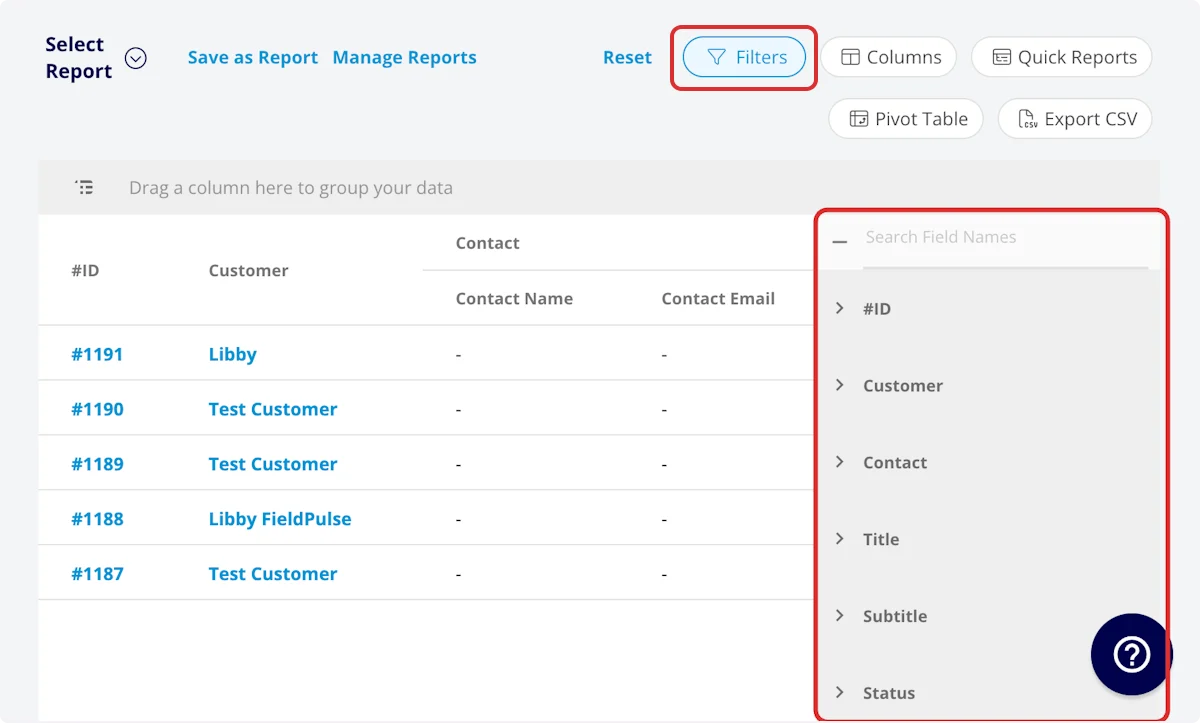
Filter operators
When you filter by contents, choose an operator and then enter the values to filter the data on.Common customer reports
Three customer reports cover most of what teams pull from the Customers tab. Each one starts from the same date range, columns, and filters described above.Customer invoice total
Use this report to view the total invoice amount for each customer. Customize the columns to your needs, but include First Name, Last Name, and Total Invoice Amount.Customers by pipeline status
Use this report to view your customers sorted by pipeline status. Customize the columns to your needs, but include First Name, Last Name, and Customer Pipeline Status, then drag the Customer Pipeline Status column into the grouping bar above the table.Customers by lead source
Use this report to view your customers sorted by lead source. Customize the columns to your needs, but include First Name, Last Name, and Customer Lead Source, then drag the Customer Lead Source column into the grouping bar above the table.Video walkthrough: Building the common customer reports