
Invoice Bundles
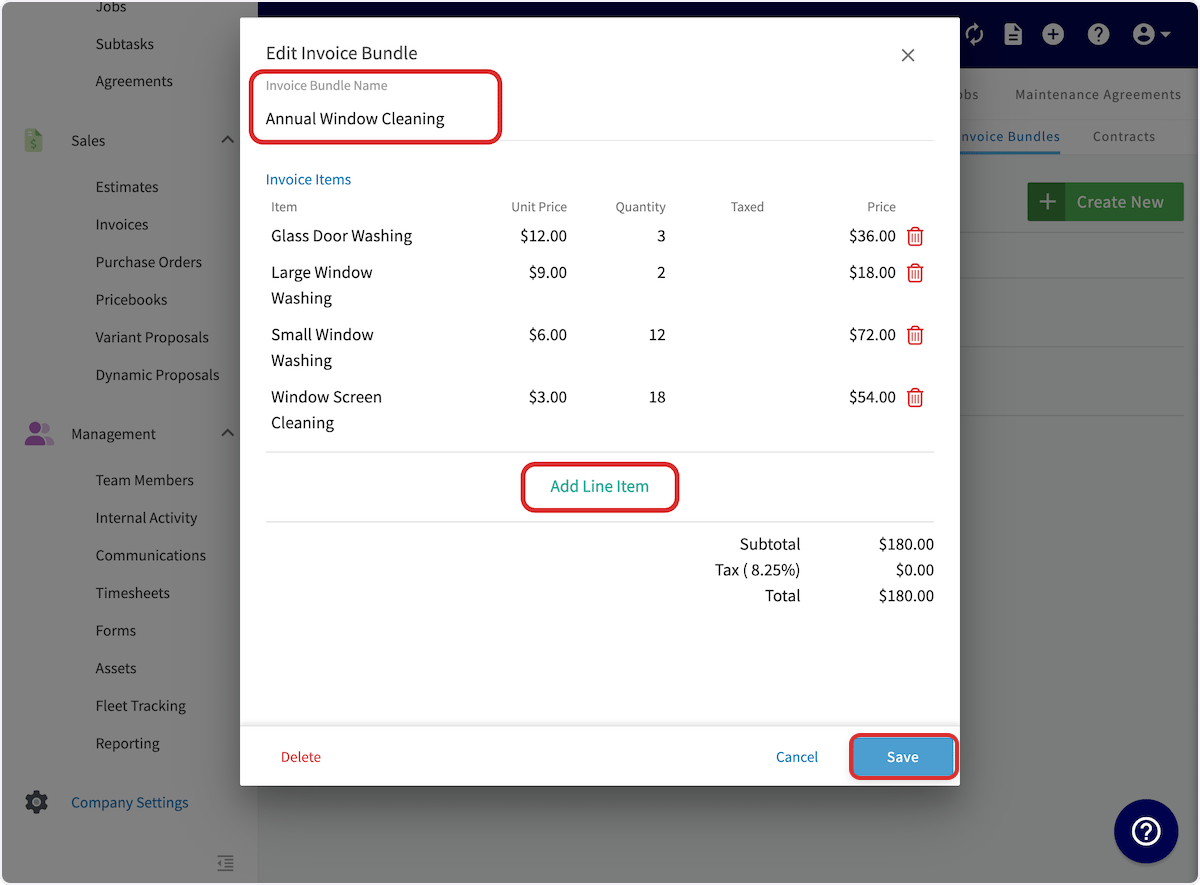
To set up an invoice bundle, navigate to Company Settings in the left-side menu and click Estimates & Invoices. Then click Invoice Bundles in the sub header. On the Invoice Bundles page, click Create New. (Note: You can also edit and delete existing invoice bundles from this page by clicking on them.)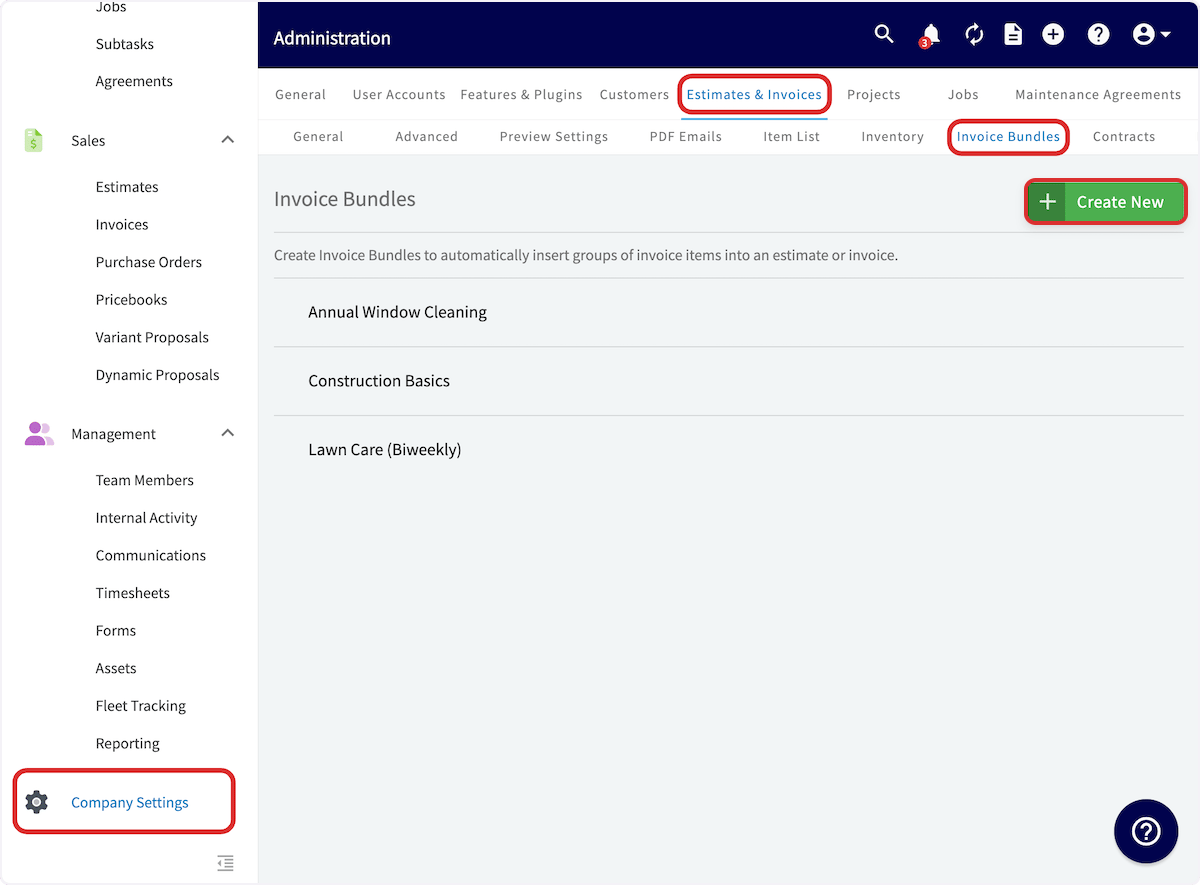
Groupings
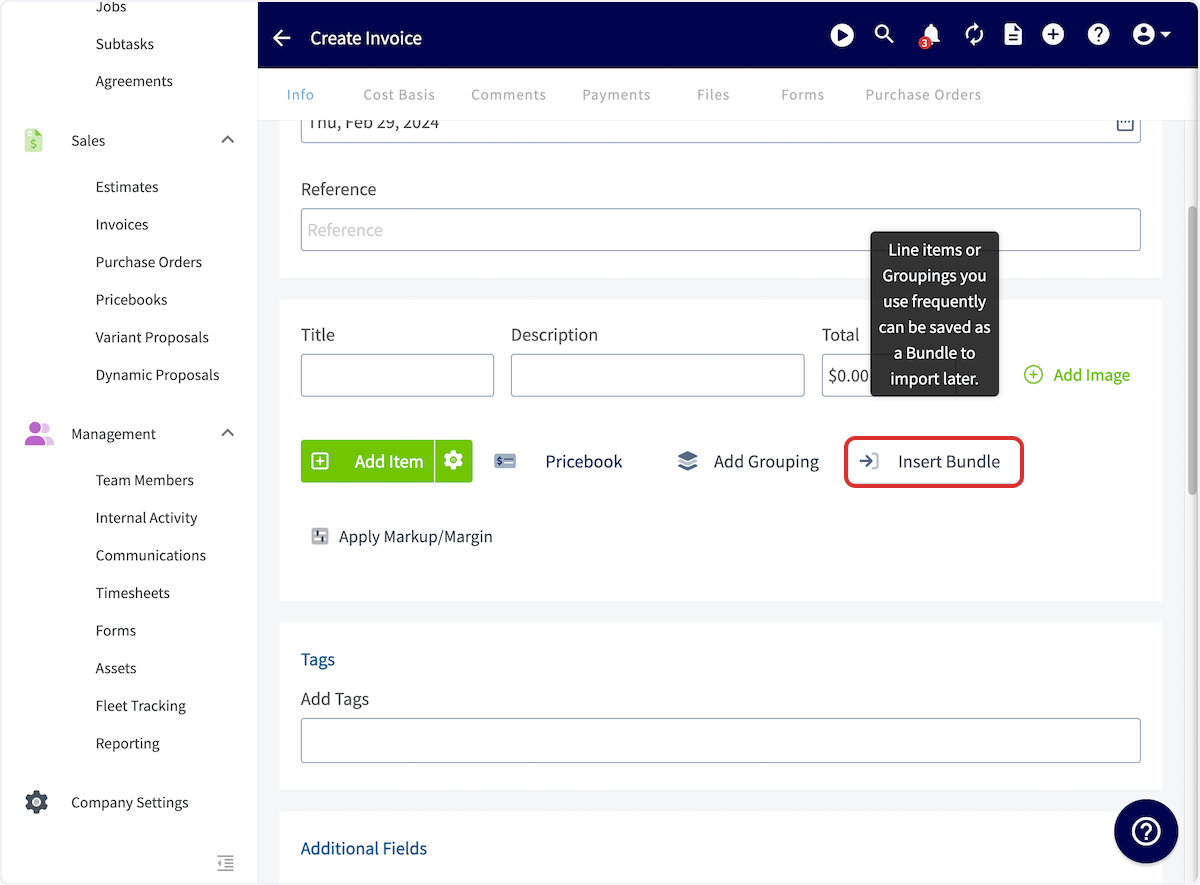
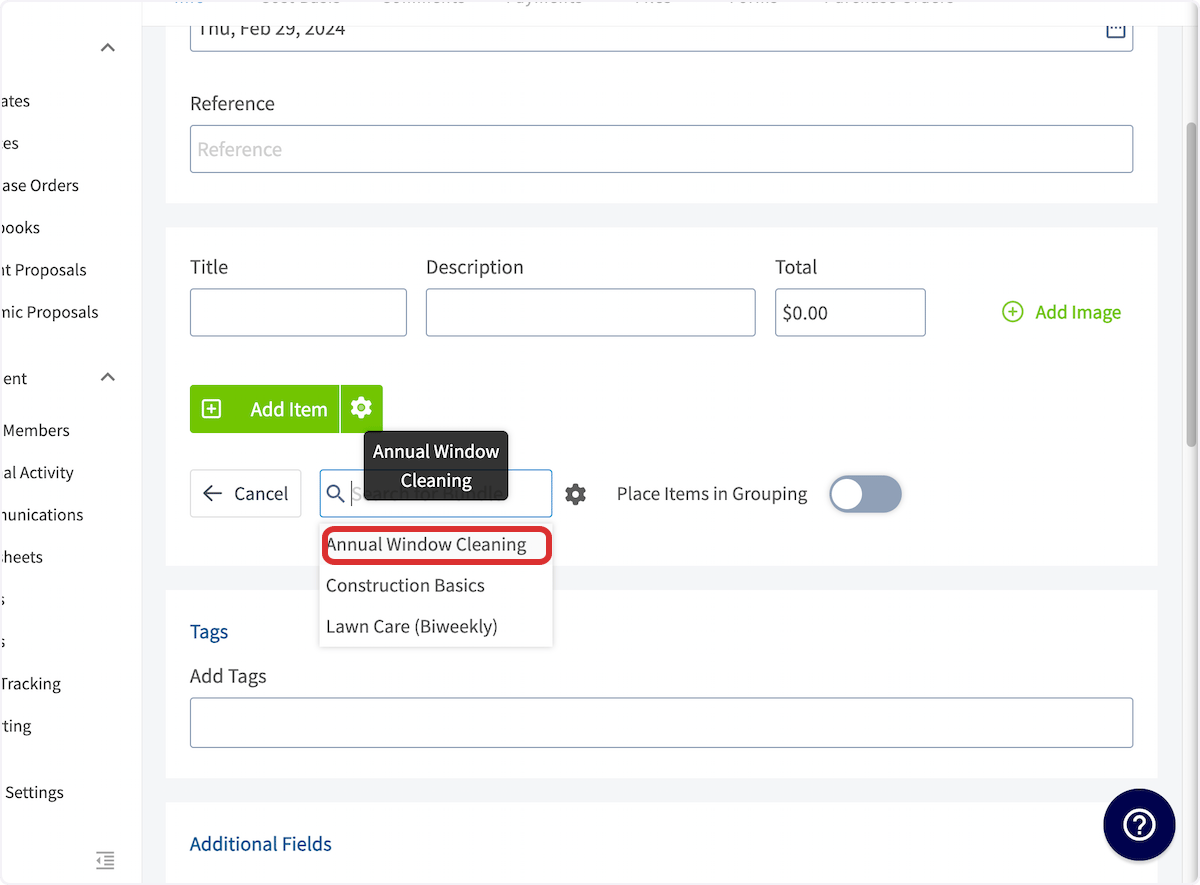
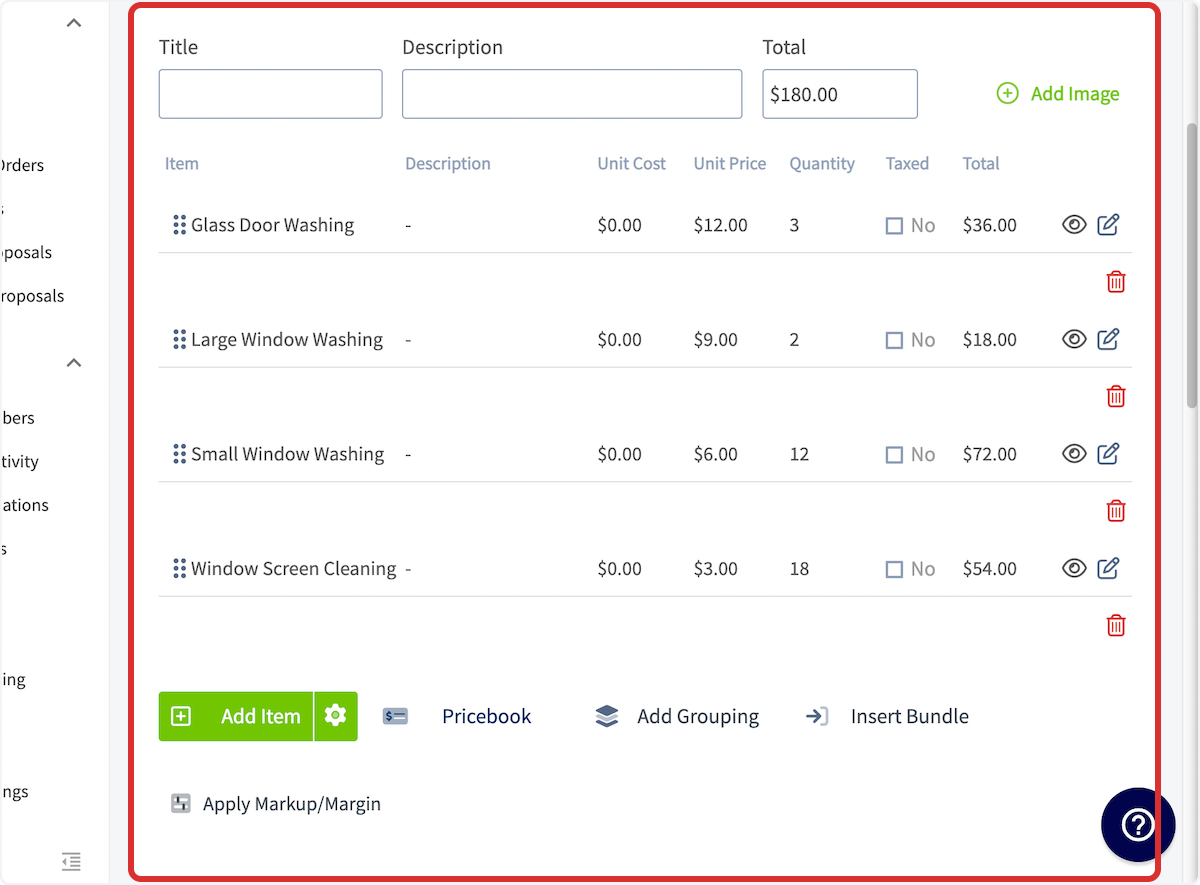
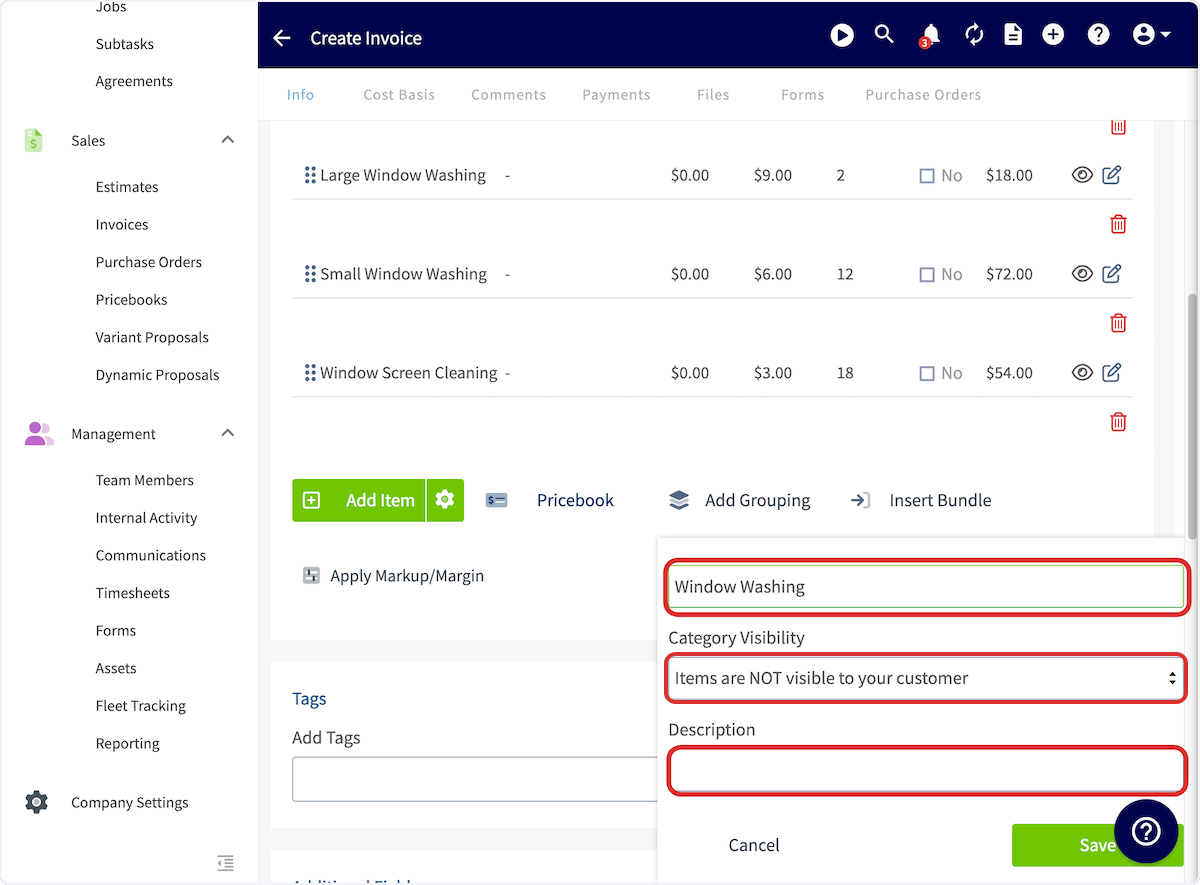
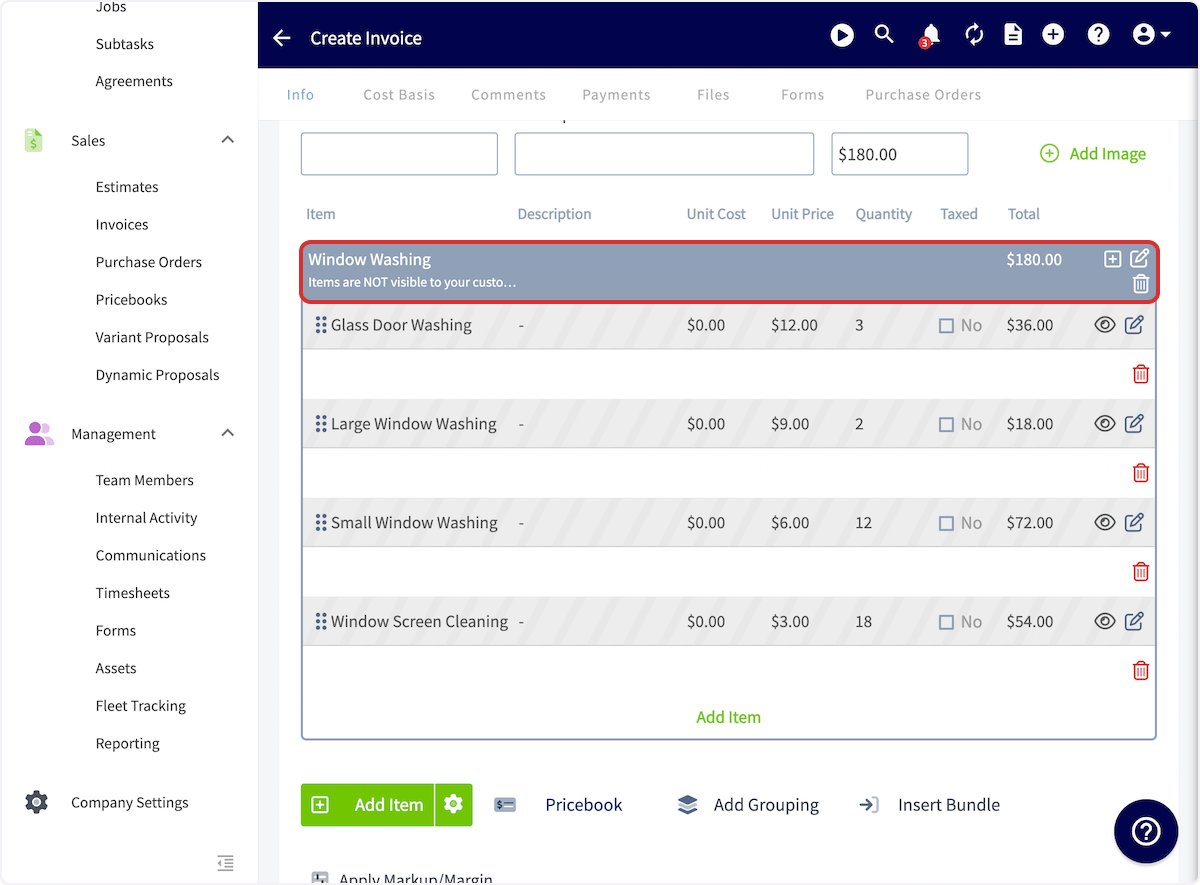
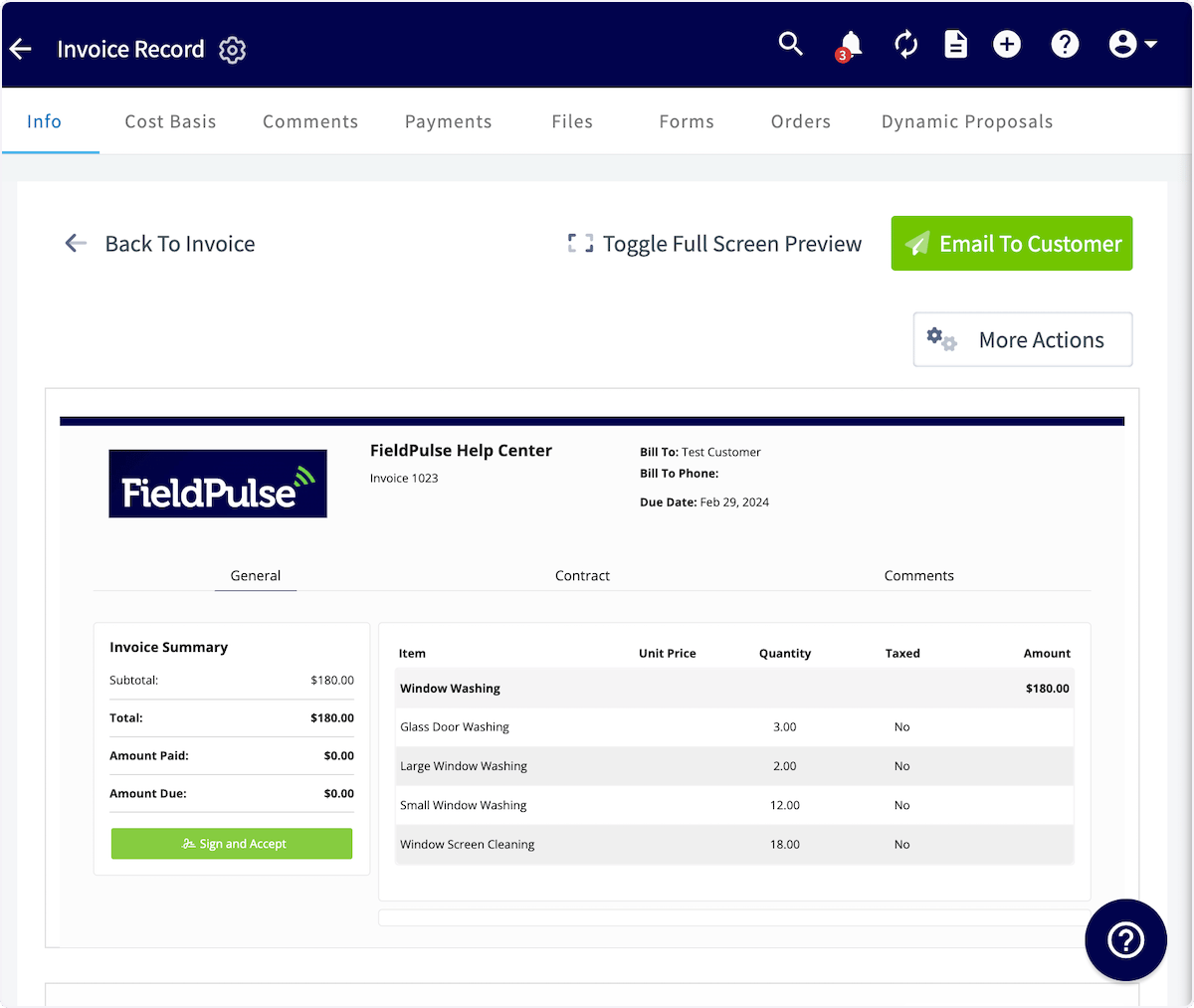
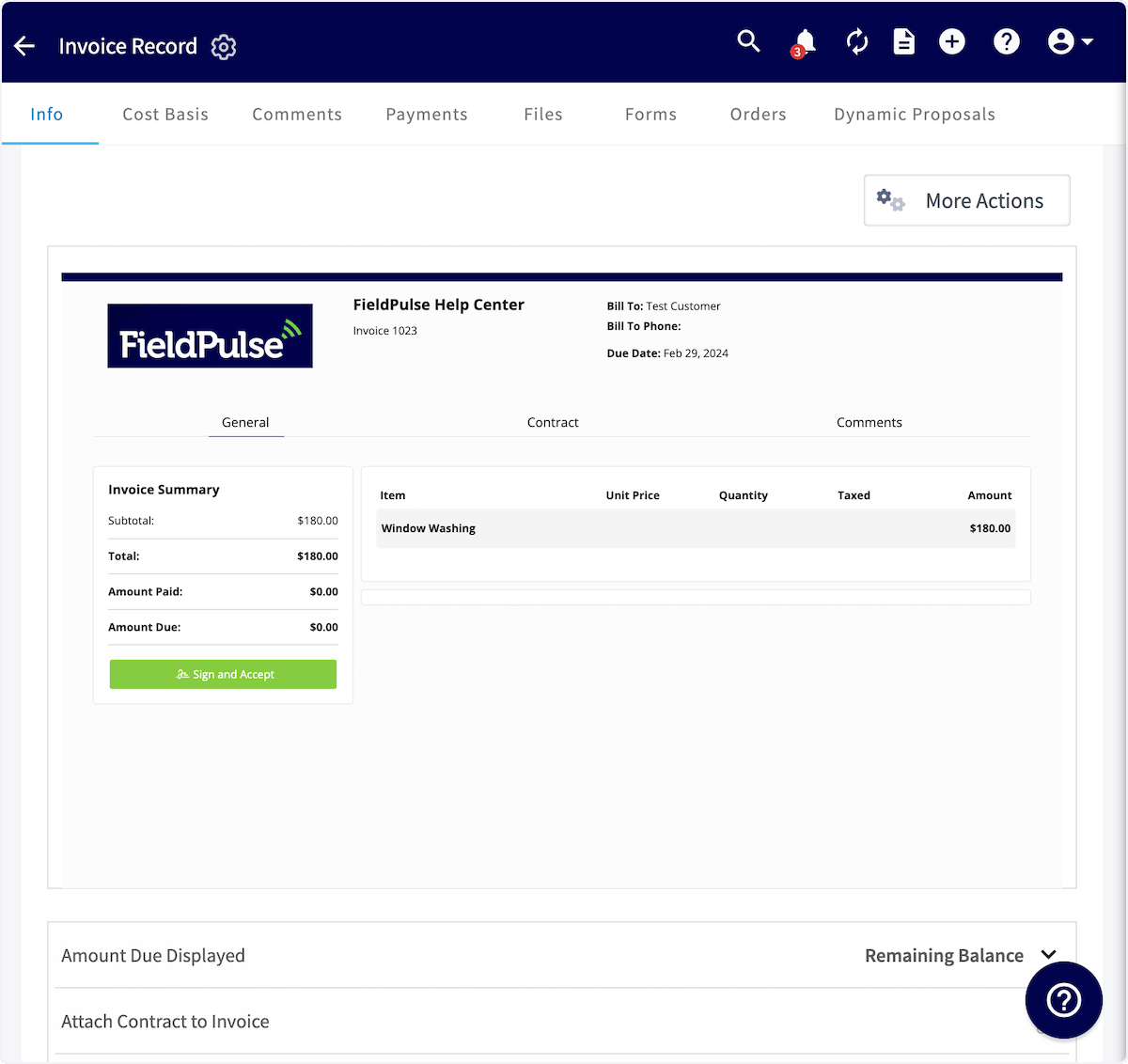
Groupings allow you to group together related line items with a title and price. You can then customize what the customer can view in the grouping. You can add invoice bundles directly into groupings or create a grouping. When creating an invoice, select Add Grouping to build a grouping.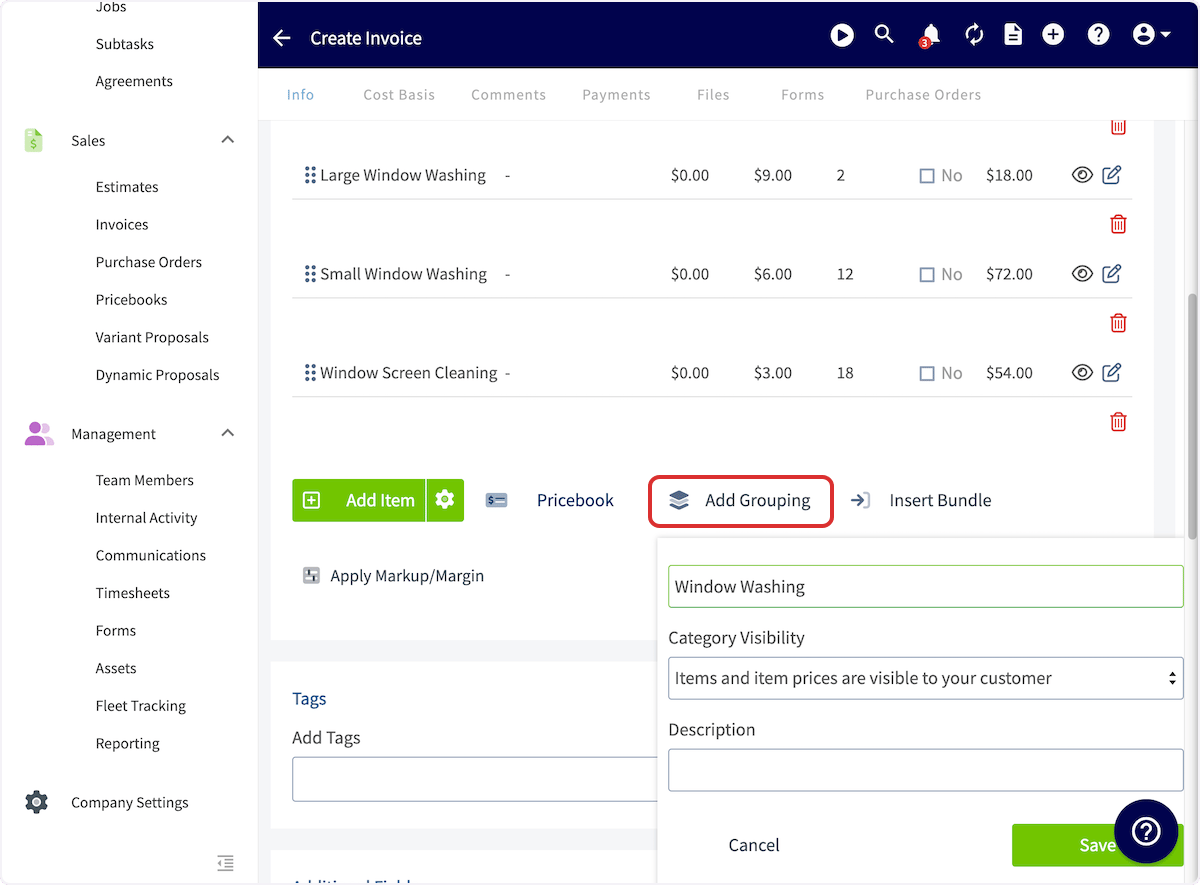
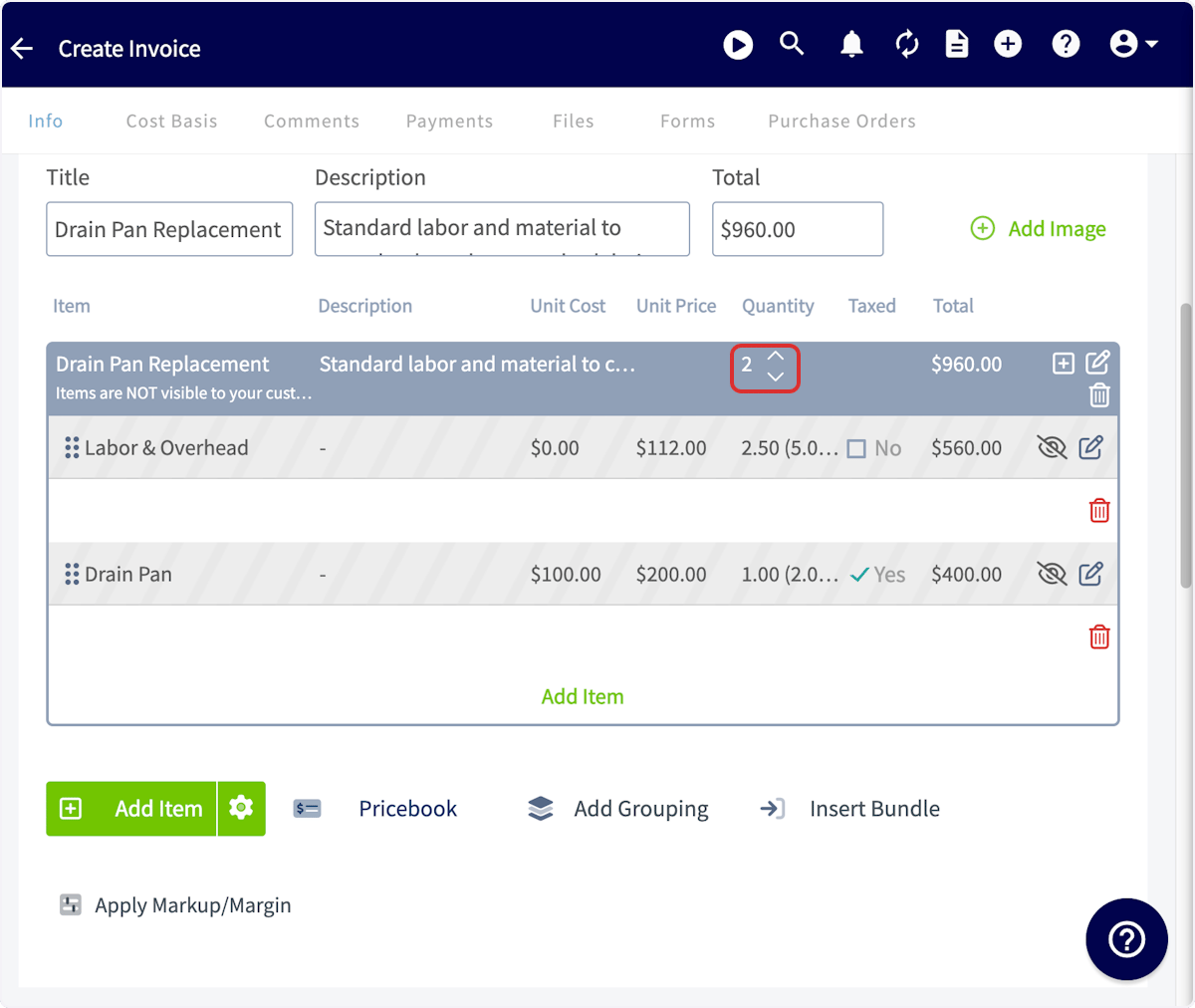
Grouping Examples
If you select Items and prices are visible to your customer, your invoice will look like this: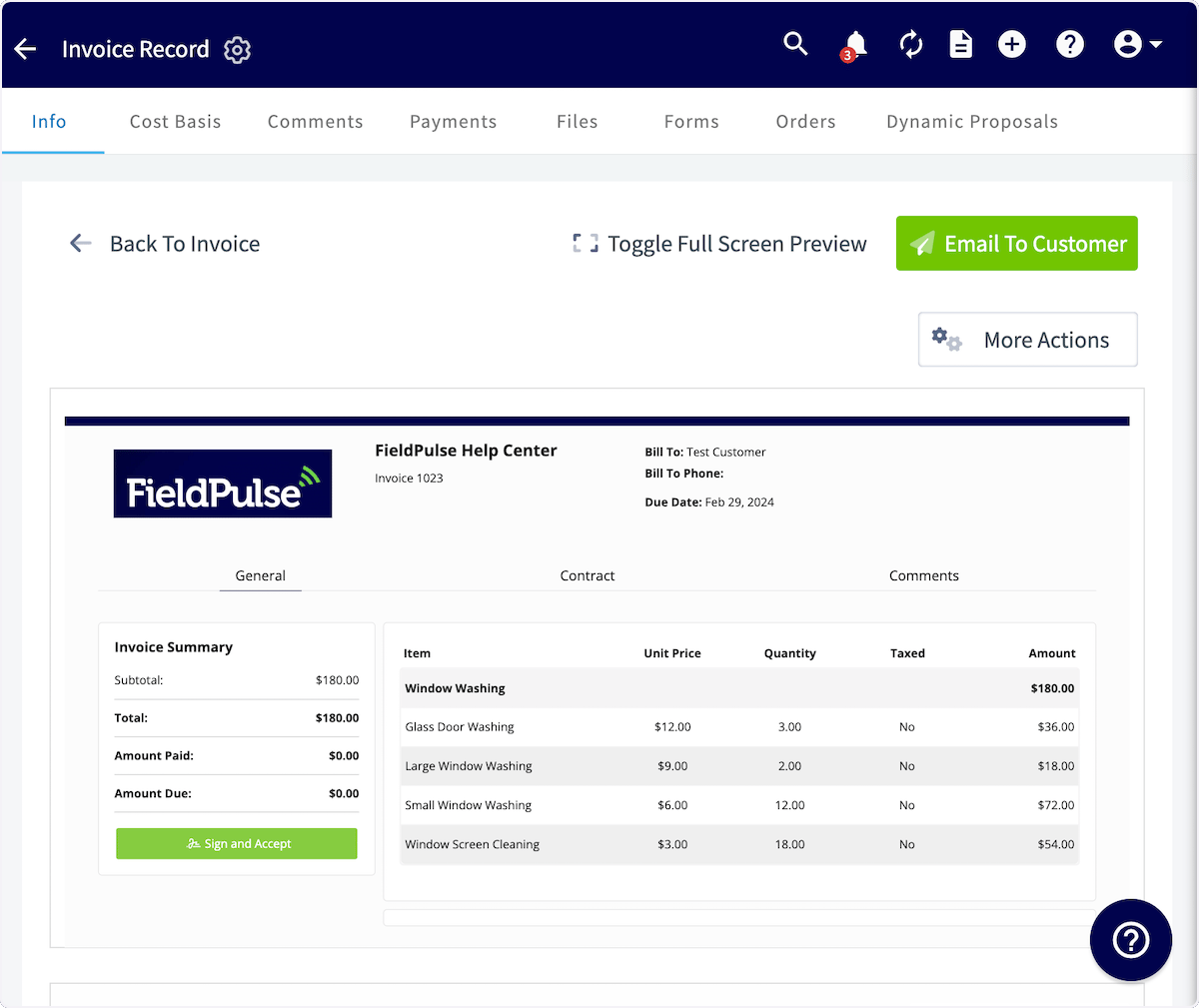
Have additional questions? Contact us at support@fieldpulse.com or use the chat feature in the bottom right corner of your screen.