
Who uses this: Admins, Team Managers, and Service Agents — Assignment Users and Limited Agents don’t have access to Engage. Availability: United States and Canada · Engage add-on.An Engage report shows your call activity over a date range — who answered, whether each call was incoming or outgoing, the outcome, the duration, the lead source, and more. You build the report from the Reporting tab in Engage, then choose the columns and filters that answer the question you’re asking.
Overview
The Engage report shows how your team handles calls instead of leaving you to guess. Set a date range and run the report, then narrow it with columns and filters — for example, calls by the user who answered, missed calls over a period, or calls tied to a specific lead source. The report reads Engage call data, so every incoming and outgoing call on your Engage lines is available to report on.Video walkthrough
Watch a start-to-finish walkthrough of building an Engage report, then follow the written steps below.Video walkthrough: Creating an Engage report
Before you begin
- Engage must be enabled on your account. Contact the FieldPulse team through the in-app chat or at support@fieldpulse.com to turn it on — see Engage Overview.
- You need a role with Engage access — Admin, Team Manager, or Service Agent. See Engage User Roles Details.
Create an Engage report
- In Engage, open Settings and select the Reporting tab.
-
Select the calendar icon and choose the start and end dates you want to report on.

- Select Columns to choose which columns appear in the report. See the Default columns table below.
- Before running the report, select the Filters icon to narrow the results. See the Filters section below.
- Select Run Report.
Default columns
The Engage report includes these columns by default. Select Columns to turn any of them on or off.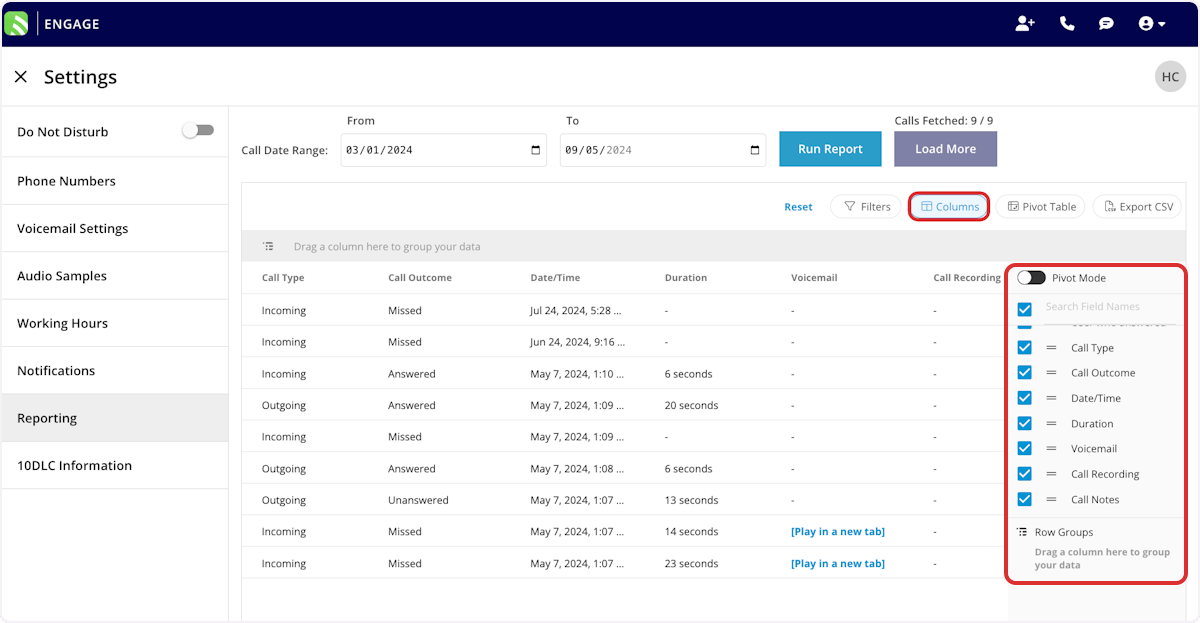
Filters
Set filters to narrow your results. From the Filters icon, choose how to filter each field: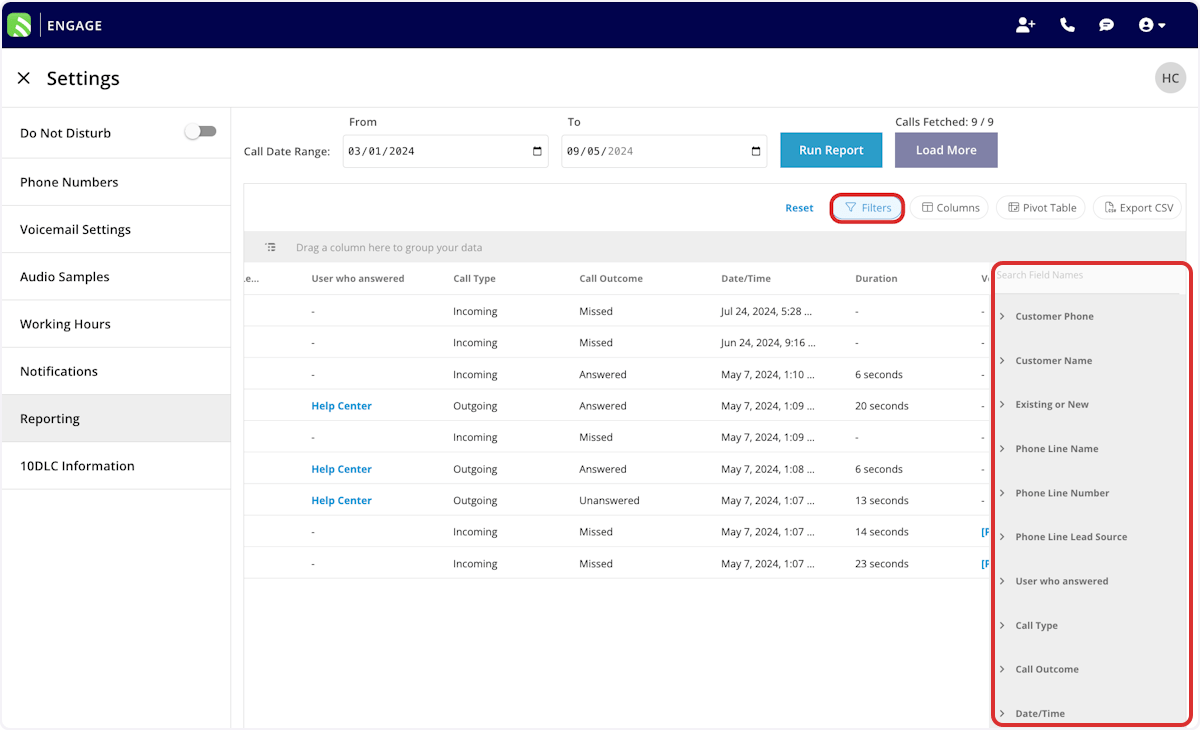
When you filter by contents, choose an operator and then enter the values to match. The operators work the same way across FieldPulse reports:
Related articles
- Engage Overview
- How to Assign a Phone Number to a Lead Source
- How to Create Custom Tags in Engage
- How to Use Raw Data Reporting