
Who uses this: Admins and Team Managers who manage Engage phone lines. Availability: United States and Canada · requires the Engage add-on.Ring duration is how long an incoming Engage call rings before the caller is sent to voicemail. You set it in Engage > Settings > Ring Duration, and Engage gives you two separate controls: Ring Duration - General for incoming calls when no call routing features are active, and Ring Duration - Sequential Call Ring for phone lines that route calls with sequential call routing. General calls ring for 30 seconds by default.
Overview
Ring duration is a small setting with a direct effect on missed calls. Set the ring duration too short and calls roll to voicemail before anyone can pick up; set it too long and callers wait, then hang up. The right number depends on who answers the line — an admin at a desk needs less time than a tech who has to put down a tool to answer. Both ring duration settings live in one place, on the Ring Duration tab in Engage settings. The general setting covers incoming calls when no call routing features are active, and the sequential setting covers phone lines that use Sequential Call Ring as their call routing method. The Settings reference below describes what each control does.Before you begin
- Confirm Engage is enabled on your account. Engage is available in the United States and Canada; to enable it, email support@fieldpulse.com or use the chat feature in the bottom right corner of your screen. See Engage Overview.
- Confirm your role has access to Engage — Assignment Users and Limited Agents cannot use Engage. See Engage User Roles Details.
- To use the sequential setting, set up Sequential Call Ring first — the sequential ring duration applies only to phone lines that use sequential call routing. See Setting Up Call Routing.
Step-by-step setup
- Select Settings in the left navigation bar.
-
In the menu on the left, below Audio Devices, select the Ring Duration tab.
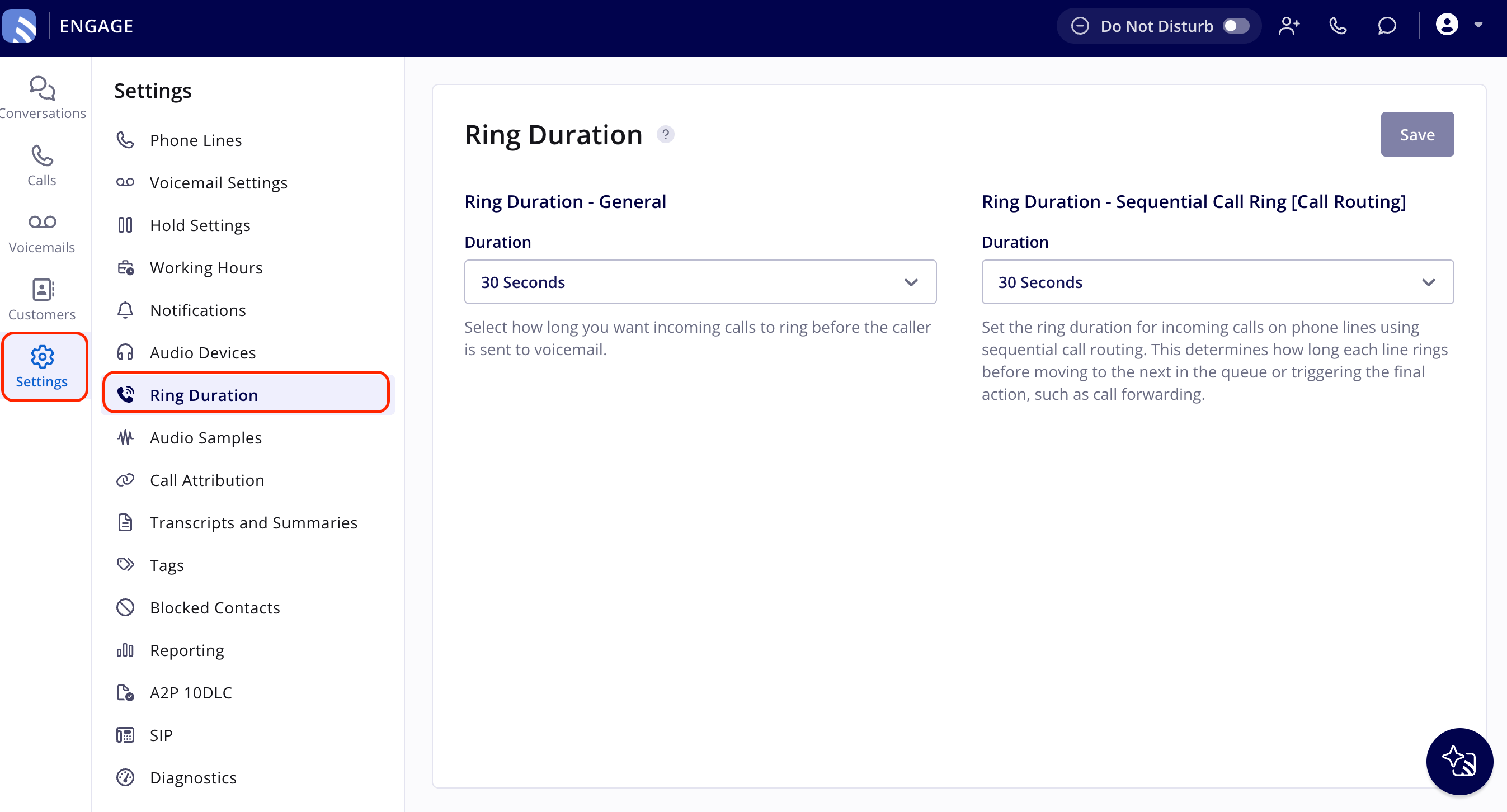
- Set Ring Duration - General to how long incoming calls should ring before the caller is sent to voicemail. You choose from a preset list of durations, and the default is 30 seconds.
- If any of your phone lines use sequential call routing, set Ring Duration - Sequential Call Ring to how long each line in the sequence should ring — 5 to 60 seconds — before the call moves to the next line in the queue or triggers the final action, such as call forwarding.
- Select Save to apply your changes.
Settings reference
Ring durations come from a preset list. If the current settings do not meet your needs, or you need a duration outside the provided options, contact the FieldPulse team at support@fieldpulse.com or through the chat feature in the bottom right corner of your screen.
Tips
- General calls: Shorten the ring time if the people on the line typically can’t answer within the default window — a shorter duration gets callers to voicemail sooner instead of leaving them waiting. Extend it beyond 30 seconds for techs or field staff who need more time to reach the phone.
- Sequential call ring: Adjust the ring time so the whole sequence doesn’t leave the caller waiting. For example, a call might try the main admin line, then the sales tech line, then a shared tech line, then an SOS line — a shorter ring time on each step reduces the caller’s total wait before someone picks up.