
Create an Asset Report
Date Range
Begin by selecting the start date range for which you’d like to report on. Click on the calendar icon to select a preset date range and click Load Data.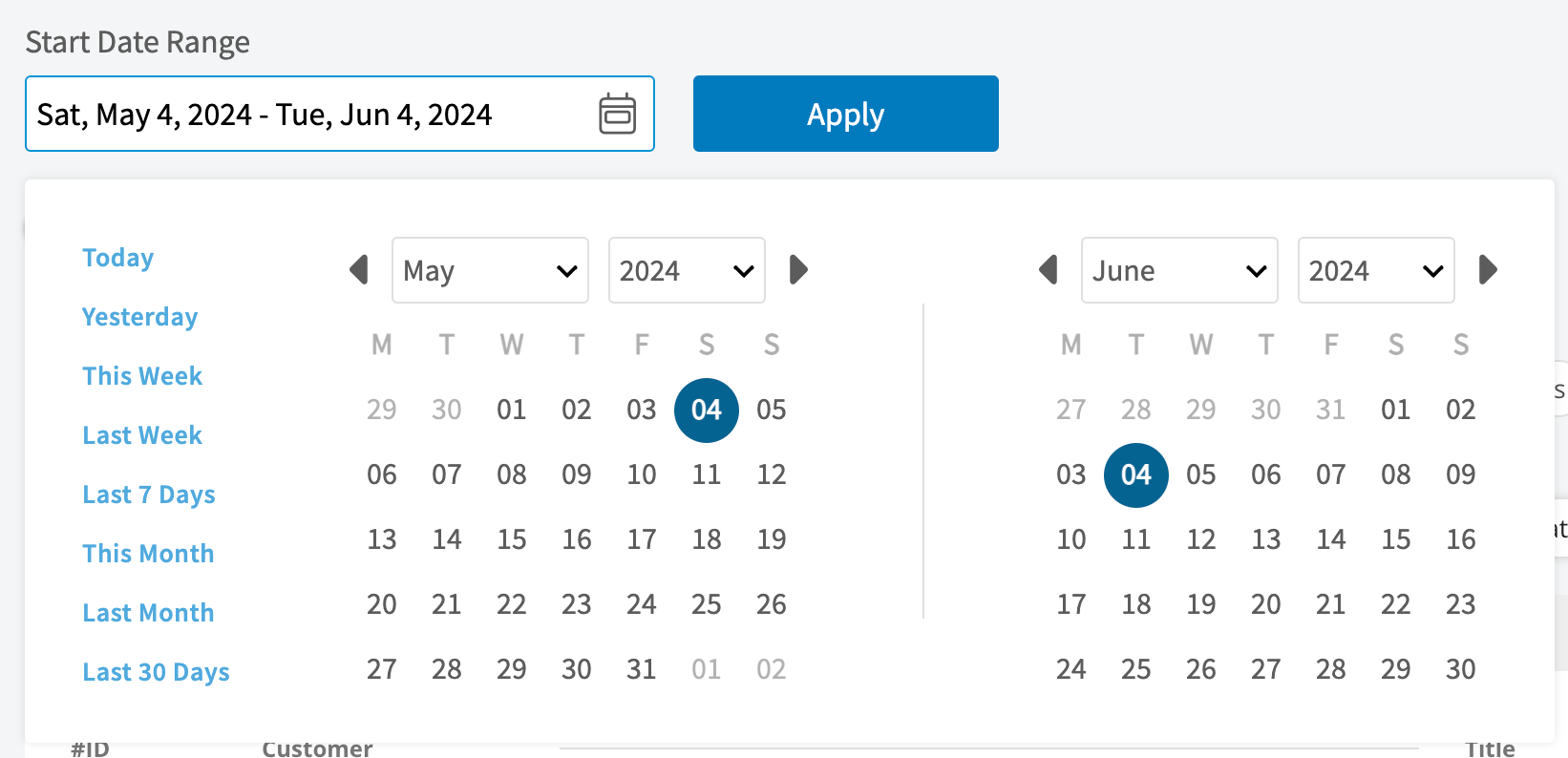
- Today: From 12:00 AM to the current time
- Yesterday: Previous day from 12:00 AM to 11:59 PM
- This Week: From Monday through Sunday of the current week
- Last Week: Previous week
- Last 7 Days: Previous seven days, including today
- This Month: From the first of the current month to the current day
- Last Month: Entire month before the current month
- Last 30 Days: Previous 30 days, including today
- Custom: Use the calendar to select start and end dates
Columns
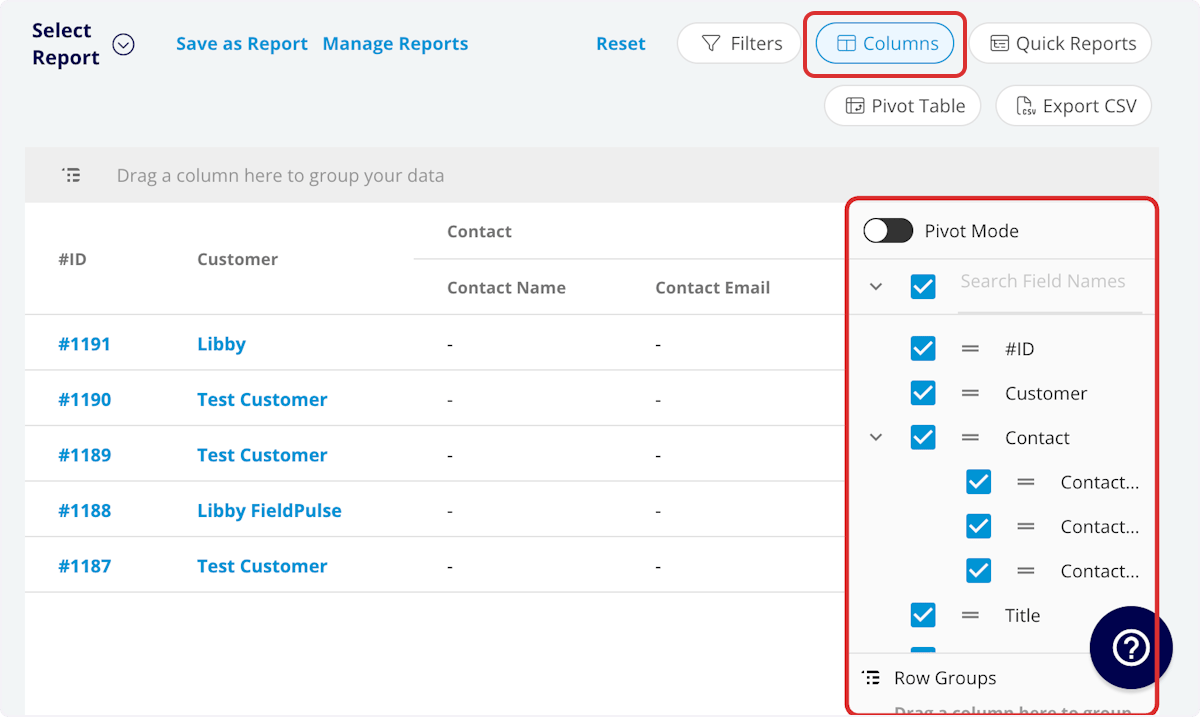
- #ID: Project number
- Title: Maintenance agreement title
- Asset Type: Customer or company asset
- Status: Maintenance agreement status
- Customer: Customer linked to the agreement
- Location: Service location for the agreement
- Maintenance Agreement: Related maintenance agreement
- Category: Equipment category
- Tag: Asset tag
- Created At: Date and time the agreement was created
- Created By: Author of the agreement
- Location Description: Asset location description
- Install Date: Asset install date
- Manufacturer: Asset manufacturer
- Model: Asset model
- Model Number: Model number
- Serial Number: Serial number
- Model Year: Model year
- Model Details: Model details
- Parts Warranty Expiration: Warranty expiration date
- Parts Warranty Information: Warranty information
- Labor Warranty Expiration
- Labor Warranty Information
- Condition: Asset condition
- Issues: Asset issues
- Notes: Asset record notes
- Custom Fields: User-created fields related to the asset
-
Asset Last Update
- Asset Update: Asset update details
- Asset Update Job: Asset update related job
- Asset Update Author: Asset update author
- Asset Update Created Date: Asset update created date
Filters
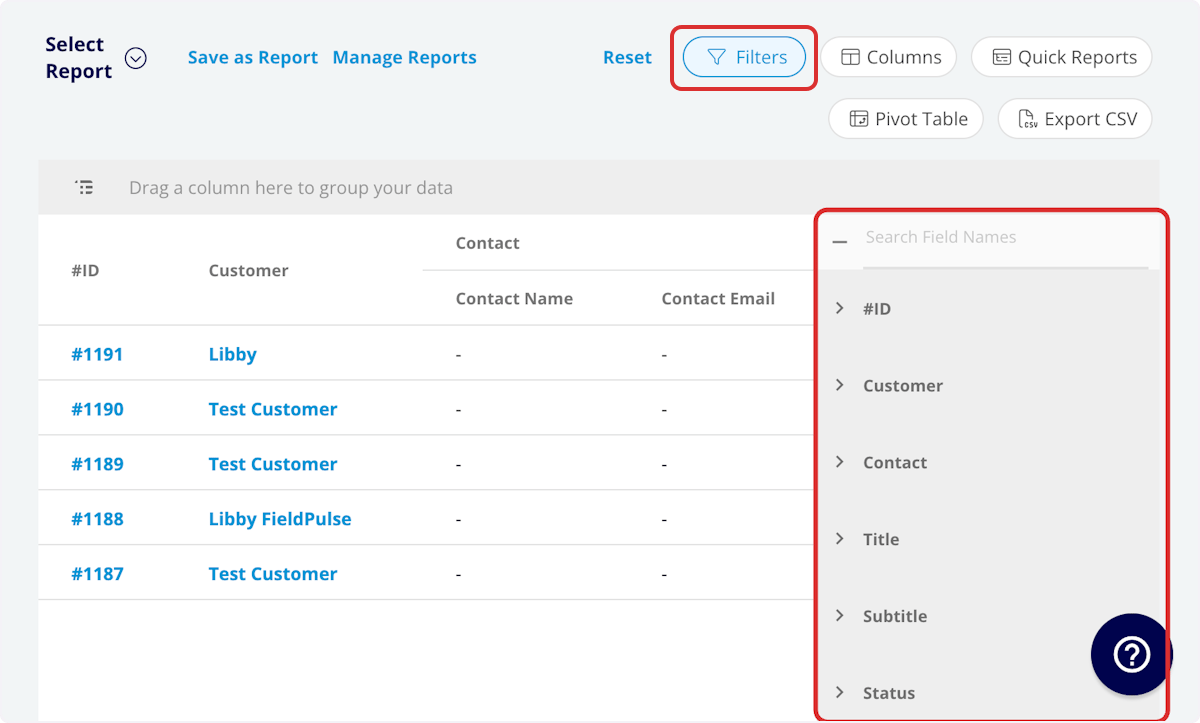
- #ID: filter by contents
- Title: filter by contents
- Asset Type: select type
- Status: select status
- Customer: filter by contents
- Location: filter by contents
- Maintenance Agreement: filter by contents
- Category: select category
- Tag: filter by contents
- Created At: filter by date
- Created By: filter by contents
- Location Description: filter by contents
- Install Date: filter by date
- Manufacturer: filter by contents
- Model: filter by contents
- Model Number: filter by contents
- Serial Number: filter by contents
- Model Year: filter by contents
- Model Details: filter by contents
- Warranty Expiration: filter by contents
- Warranty Information: filter by contents
- Condition: filter by contents
- Issues: filter by contents
- Notes: filter by contents
- Custom Fields: select custom field
-
Asset Last Update
- Asset Update: select update
- Asset Update Job: filter by contents
- Asset Update Author: filter by contents
- Asset Update Created Date: filter by date
Have additional questions? Contact us at support@fieldpulse.com or use the chat feature in the bottom right corner of your screen.