
Create a Tasks Report
Date Range
Begin by selecting the start date range for which you’d like to report on. Click on the calendar icon to select a preset date range and click Load Data.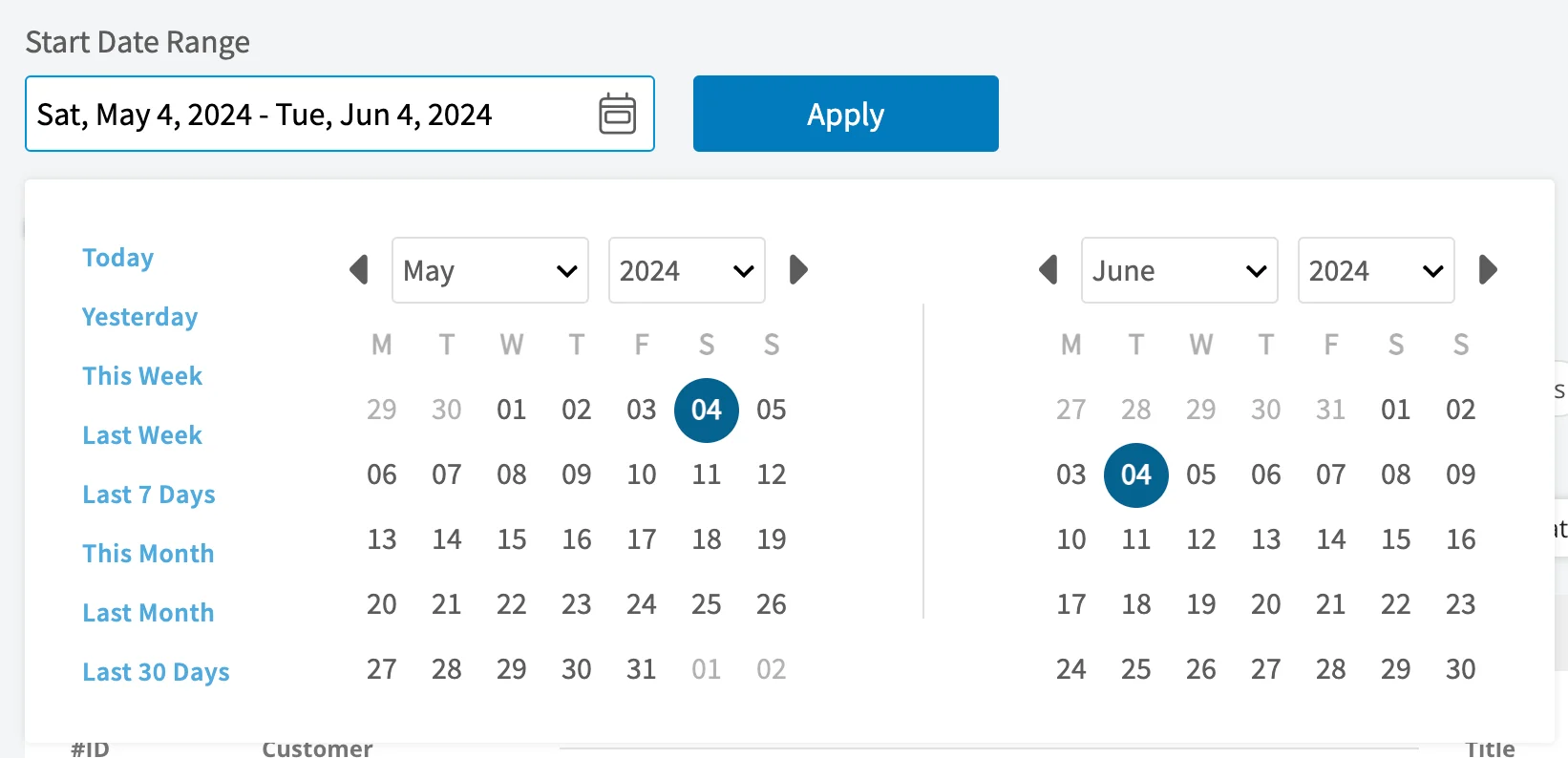
- Today: From 12:00 AM to the current time
- Yesterday: Previous day from 12:00 AM to 11:59 PM
- This Week: From Monday through Sunday of the current week
- Last Week: Previous week
- Last 7 Days: Previous seven days, including today
- This Month: From the first of the current month to the current day
- Last Month: Entire month before the current month
- Last 30 Days: Previous 30 days, including today
- Custom: Use the calendar to select start and end dates
Columns
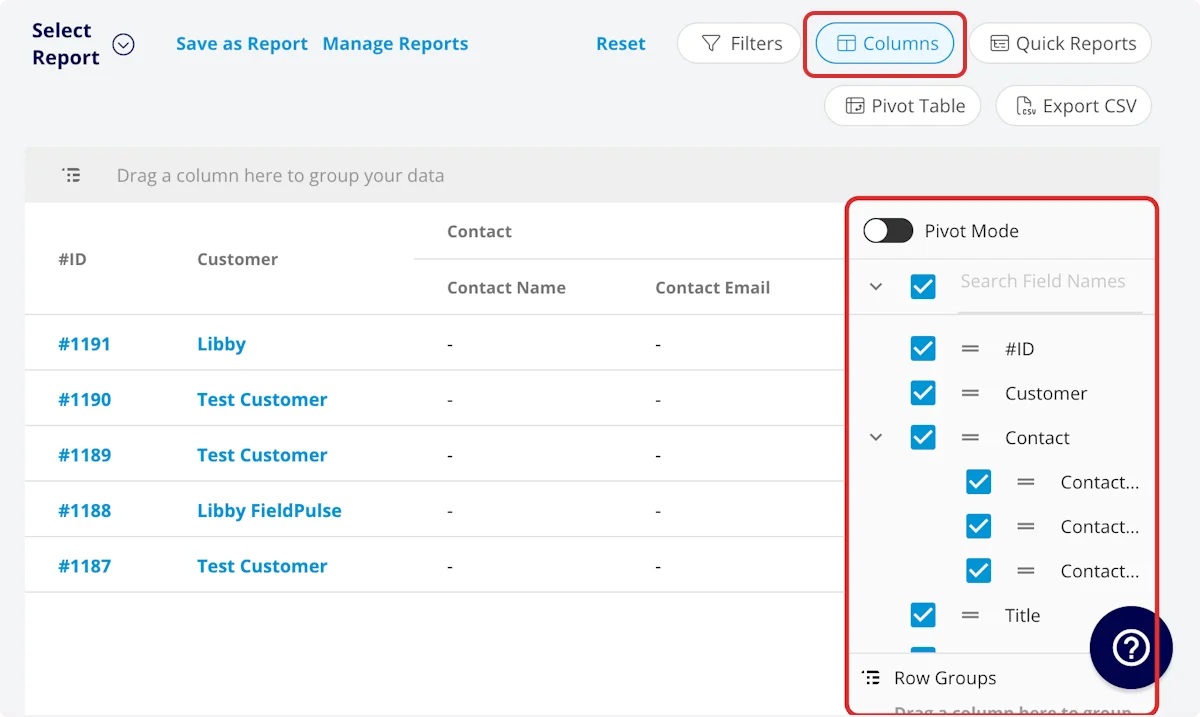
- #ID: Job number
- Customer: Customer linked to the task
-
Contact
- Contact Name: Customer contact selected on task
- Contact Email: Customer contact’s email address selected on task
- Contact Phone: Customer contact’s phone number selected on task
- Title: Task title
- Subtitle: Task subtitle
- Status: Task workflow status
- Start Date/Time: Date and time the task was scheduled to begin
- End Date/Time: Date and time the task was scheduled to end
- Clock In Date/Time
- Clock Out Date/Time
- Created At: Date and time the task was created in FieldPulse
- Created By: Author of the task
- Location: Service location for the task
- Assigned Team Members: Users assigned to the task
- Assigned Teams: Teams assigned to the task
- Total Invoice Amount: Total amount on related invoice
- Total Estimate Amount: Total amount on related estimate
- Total Invoice Amount Due: Remaining balance on related invoice
- Total Amount Paid: Amount paid on related invoice
- Assets: Assets linked to the task
- Related Estimates and Invoices: Record numbers for estimates and invoices linked to the task
- Notes: Notes on task record
- Field Notes: Notes left by assigned user(s) on the task
- Tags: Tags attached to the task
- Related Project: Project linked to the task
- Job Duration: Time spent in In Progress status type, recorded in HH:MM:SS
- Job Duration Decimal: Time spent in In Progress status type, recorded in hours
- Scheduled Duration: Time scheduled for the job, recorded in HH:MM:SS
- Scheduled Duration Decimal: Time scheduled for the job, recorded in hours
- Travel Duration: Time spent in On The Way status type, recorded in HH:MM:SS
- Travel Duration Decimal: Time spent in On The Way status type, recorded in hours
- Total Timesheet Duration: Sum of all timesheets related to the task, recorded in HH:MM:SS
- Total Timesheet Duration Decimal: Sum of all timesheets related to the task, recorded in hours
- Custom Fields: User-created fields related to the task
-
Estimate - Product
- Estimate - Total Product Cost: Sum of product line item costs on related estimate
- Estimate - Total Product Amount: Sum of product line item prices on related estimate
- Estimate - Total Product Margin: Overall margin on product line items on related estimate
-
Estimate - Service
- Estimate - Total Service Cost: Sum of service line item costs on related estimate
- Estimate - Total Service Amount: Sum of service line item prices on related estimate
- Estimate - Total Service Margin: Overall margin on service line items on related estimate
-
Invoice - Product
- Invoice - Total Product Cost: Sum of product line item costs on related invoice
- Invoice - Total Product Amount: Sum of product line item prices on related invoice
- Invoice - Total Product Margin: Overall margin on product line items on related invoice
-
Invoice - Service
- Invoice - Total Service Cost: Sum of service line item costs on related invoice
- Invoice - Total Service Amount: Sum of service line item prices on related invoice
- Invoice - Total Service Margin: Overall margin on service line items on related invoice
-
Customer
- Custom Fields: User-created fields related to the customer record
- Customer Phone: Customer’s primary phone number
- Customer Email: Customer’s primary email address
- Customer Phone 2: Customer’s secondary phone number
- Customer Email 2: Customer’s secondary email address
- Customer Assigned To: User assigned to customer record
- Customer Lead Source: Lead source
- Customer Pipeline Status: Customer’s custom sales pipeline status
- Customer Next Steps: Next steps listed on custom sales pipeline
- Customer Notes: Notes on customer record
- Customer Job Notes: Job notes on customer record (automatically inserted onto job records)
- Customer Created Date: Date and time the customer was added to FieldPulse
- Customer Tags: Tags attached to the customer record
- Category Name: Task category type
Filters
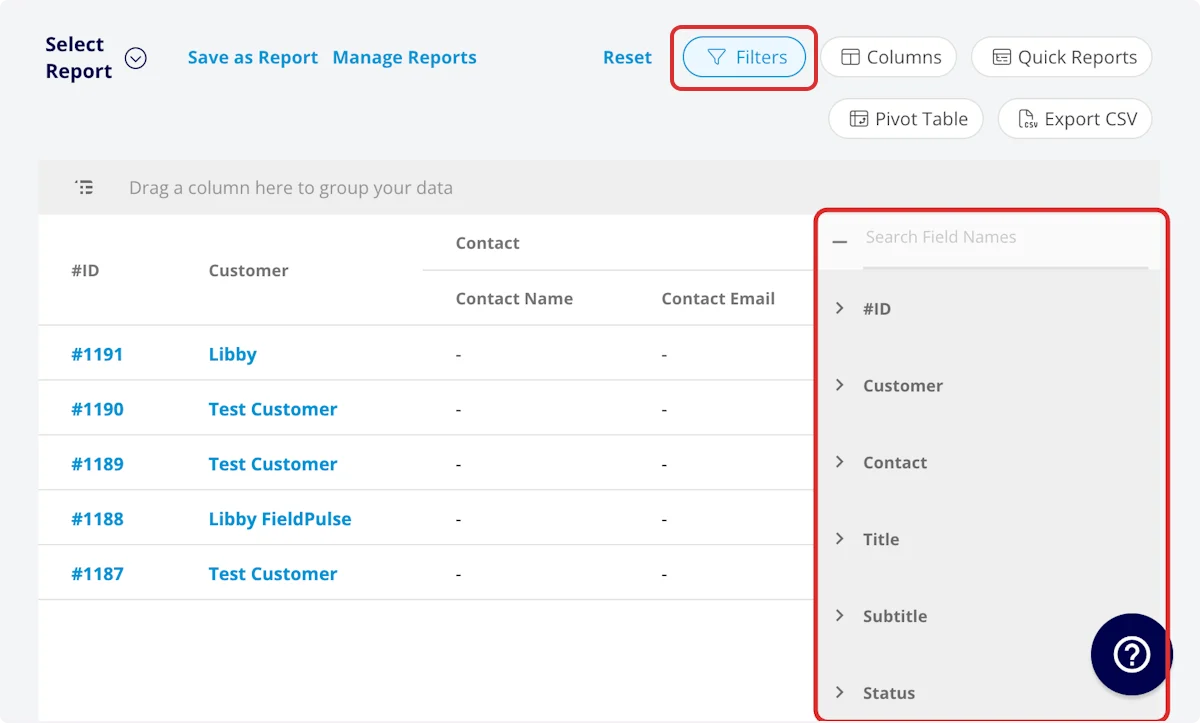
- #ID: filter by contents
- Customer: filter by contents
-
Contact
- Contact Name: select name
- Contact Email: select email address
- Contact Phone: select phone number
- Title: filter by contents
- Subtitle: filter by contents
- Status: select status
- Start Date/Time: filter by date
- End Date/Time: filter by date
- Created At: filter by contents
- Created By: filter by contents
- Location: filter by contents
- Assigned Team Members: filter by contents
- Assigned Teams: filter by contents
- Assets: filter by contents
- Related Estimates and Invoices: filter by contents
- Notes: filter by contents
- Field Notes: filter by contents
- Tags: filter by contents
- Related Project: select project
- Job Duration: filter by contents
- Job Duration Decimal: filter by contents
- Scheduled Duration: filter by contents
- Scheduled Duration Decimal: filter by contents
- Travel Duration: filter by contents
- Travel Duration Decimal: filter by contents
- Total Timesheet Duration: filter by contents
- Total Timesheet Duration Decimal: filter by contents
- Custom Fields: select custom field
-
Customer
- Customer Phone: select phone number
- Customer Email: select email address
- Customer Phone 2: select phone number
- Customer Email 2: select email address
- Customer Assigned To: filter by contents
- Customer Lead Source: select lead source
- Customer Pipeline Status: select status
- Customer Next Steps: filter by contents
- Customer Notes: filter by contents
- Customer Job Notes: filter by contents
- Customer Created Date: filter by contents
- Customer Tags: filter by contents
- Category Name: select category
Common Task Reports
Tasks by Category
Use this report to sort your tasks by category, providing you better insights into the frequency and duration of each task category. Columns: Customize to your needs, but must include Category Name. Group By: Category NameTasks by Customer
Use this report to sort your tasks by customer. Columns: Customize to your needs, but must include Customer. Group By: CustomerHave additional questions? Contact us at support@fieldpulse.com or use the chat feature in the bottom right corner of your screen.