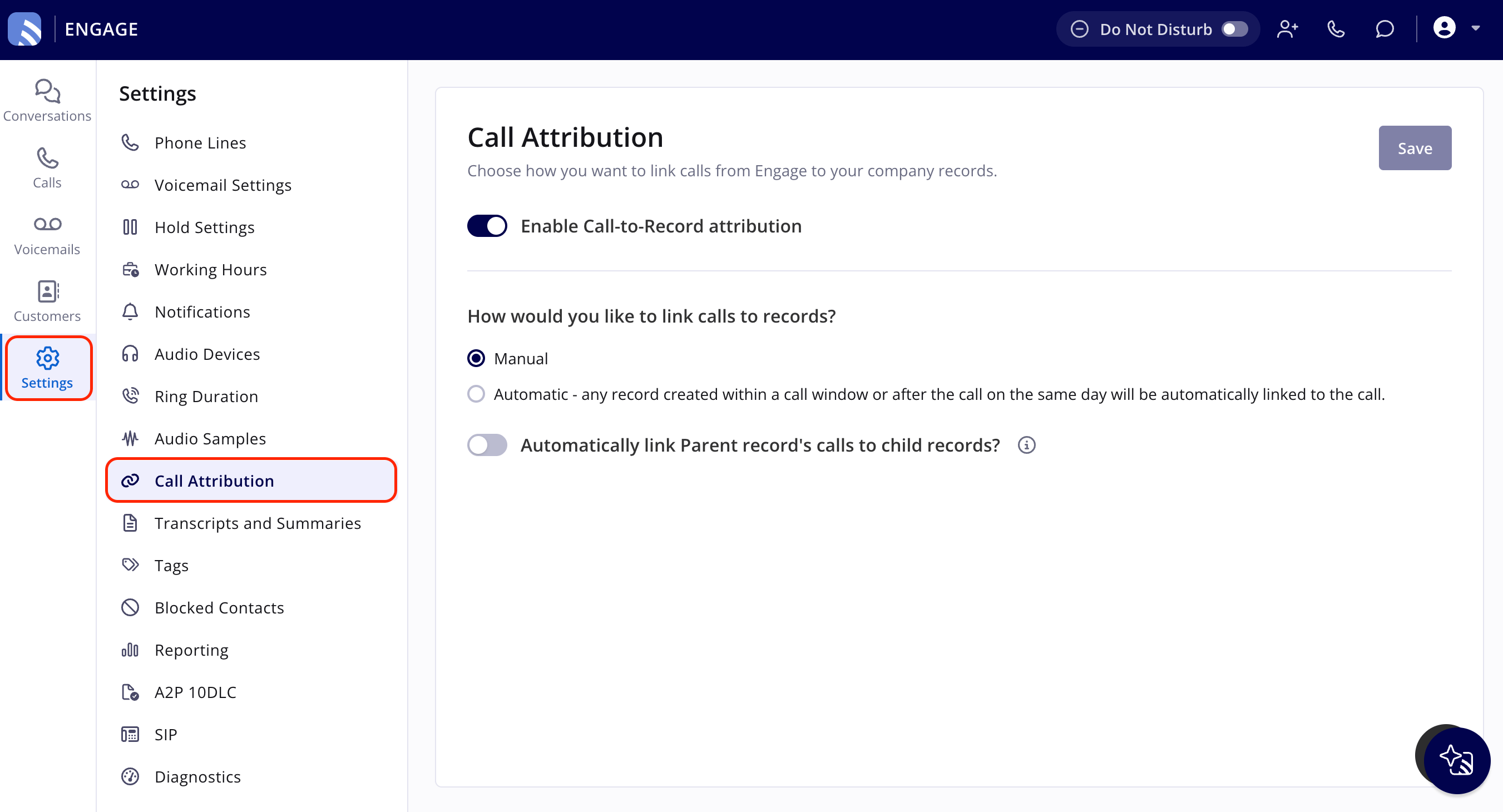
Who uses this: Admins only. Availability: Engage add-on.Call Attribution is the account-wide Engage setting that decides how calls get linked to your FieldPulse records. Admins turn it on and choose manual or automatic linking from Settings in Engage.
Overview
Call Attribution controls how Engage calls get linked to FieldPulse records — Jobs, Estimates, Invoices, Projects, and Maintenance Agreements. Turn it on to choose whether that linking happens manually or automatically, and whether a call linked to one record should automatically cascade to records created from it. See How to Link Calls to Records in Engage for the linking steps themselves.Before you begin
- Engage must be enabled on your account with at least one phone line connected.
- You need Admin permissions. Call Attribution is an account-wide setting, and every user inherits whatever is active.
Step-by-step setup
- In Engage, select Settings in the left navigation bar.
- Select Call Attribution in the Settings menu.
- Turn on Enable Call-to-Record attribution. This is on by default.
- Under How would you like to link calls to records?, select Manual or Automatic (see below).
- Turn on Automatically link Parent record’s calls to child records if you want a call linked to a record to also link automatically to any child record created from it — for example, a Job created from a Maintenance Agreement.
- Manual (default): link calls to records yourself, from the Source section on a record or the Related Records section on a call.
- Automatic: FieldPulse links a record to a customer’s calls automatically when the record is created during an active call with that customer, or later the same day. Automatic linking runs once an hour; a call you’ve already linked manually isn’t re-linked by the automatic process.
If two Jobs are created for the same customer on the same day, FieldPulse automatically links the call to the first Job only. Link the call to the second Job yourself if you need to.